

Best Portable Projector 4K: Expert Picks for 2026
True native 4K portability doesn't really exist yet. Most compact options use pixel-shifted 1080p panels to create a 4K-like image, while the portable projector market is projected to reach USD 2.12 billion in 2026 and DLP holds 65% of the market in 2025.
You're probably looking at a projector because your living room needs a larger image without a permanent TV installation. Perhaps you want to move movie night to the bedroom, play on a blank wall, or take a cinema setup outdoors. The problem is that the phrase “portable 4K projector” covers several very different products, from room-to-room DLP units to small projectors that only accept a 4K signal and display it at a lower native resolution.
| What matters | What to look for | Why it matters |
|---|---|---|
| Resolution | Native resolution, not only 4K input support | A 4K signal can still be converted to a lower-resolution image |
| Image quality | Contrast, measured brightness, and color reproduction | These determine depth, visibility, and realism |
| Gaming | Input lag in the actual 4K or game mode | Resolution and refresh rate can change latency |
| Portability | Weight, handle, stand, and power requirements | Many 4K models are portable between rooms, not pocket-sized |
| Connectivity | HDMI, wireless streaming, USB-C where supported | The right ports prevent adapters and setup delays |
The best portable projector 4K buyers can choose today is usually a compromise. You're trading some optical purity and battery convenience for a larger image, easier placement, and a chassis you can move without mounting hardware.
The Truth About Portable 4K Projectors
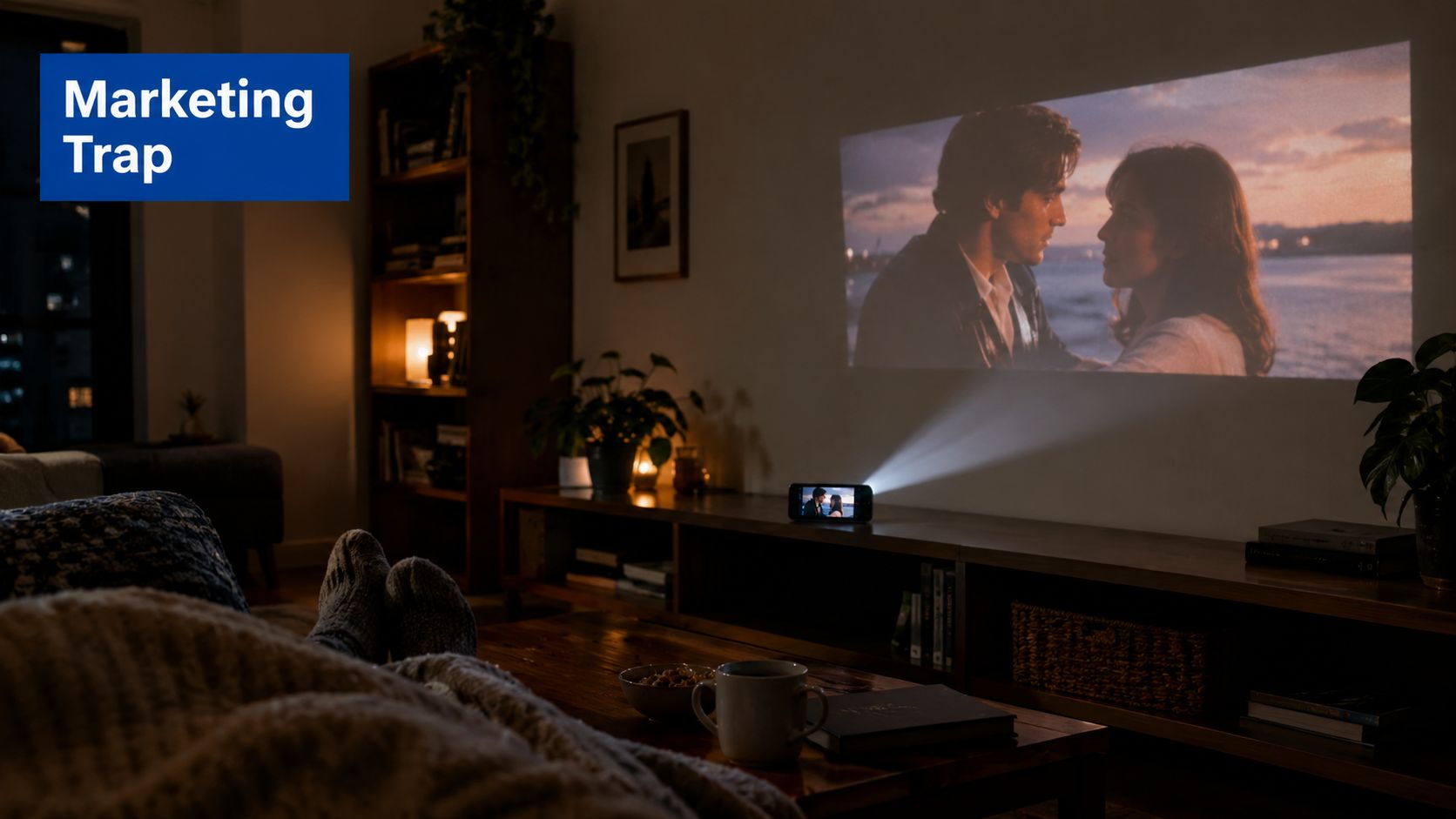
Movie night exposes the gap between a product listing and real hardware quickly. You carry a compact projector into the bedroom, aim it at the wall, dim the lights, and expect the fine detail of a premium television. The image can look impressive, but small text, hair, foliage, and dark textures may not have the same crispness as a native 4K display.
That doesn't mean portable 4K projectors are deceptive by definition. It means “4K” can describe the image-processing method or input compatibility rather than a native 3840 x 2160 imaging chip. A product may accept a 4K video source while using a lower-resolution panel internally. The guide to connecting a phone to a projector is useful for setup, but the cable or wireless connection can't change the projector's native optical resolution.
Why the category keeps growing
The market is substantial, and manufacturers are concentrating on compact home entertainment hardware. The portable projector market is projected to reach USD 2.12 billion in 2026 and approximately USD 3.82 billion by 2035, while DLP technology accounted for 65% of the market in 2025, according to Precedence Research's portable projector market analysis.
That scale helps explain why DLP and pixel-shifting appear so often. Manufacturers can build a relatively compact projector around a smaller imaging chip, then use rapid optical shifting and processing to produce a denser-looking image. The result is more practical than a large native 4K home-theater chassis, even if it doesn't deliver identical pixel-level precision.
The portability paradox
A projector that produces a convincing large image needs enough light output, cooling, optics, processing, and audio hardware. Shrinking one component usually creates pressure elsewhere. A lighter model may be easier to carry but dimmer, less contrasty, or more dependent on a dark room.
In practice, the best portable projector 4K candidates fall into two groups:
- Room-to-room models: These offer the more convincing large-screen experience but usually need wall power and a stable surface.
- Travel mini projectors: These are easier to pack and position, but many use 1080p or lower native resolution and sacrifice brightness.
Practical rule: Treat “portable” as a description of movement, not a promise that the projector fits in a coat pocket or runs without a cable.
The right purchase starts with deciding whether you want portable home theater or battery-powered convenience. Trying to get both with true native 4K remains the category's central limitation.
Pixel-Shifting vs Native 4K Explained
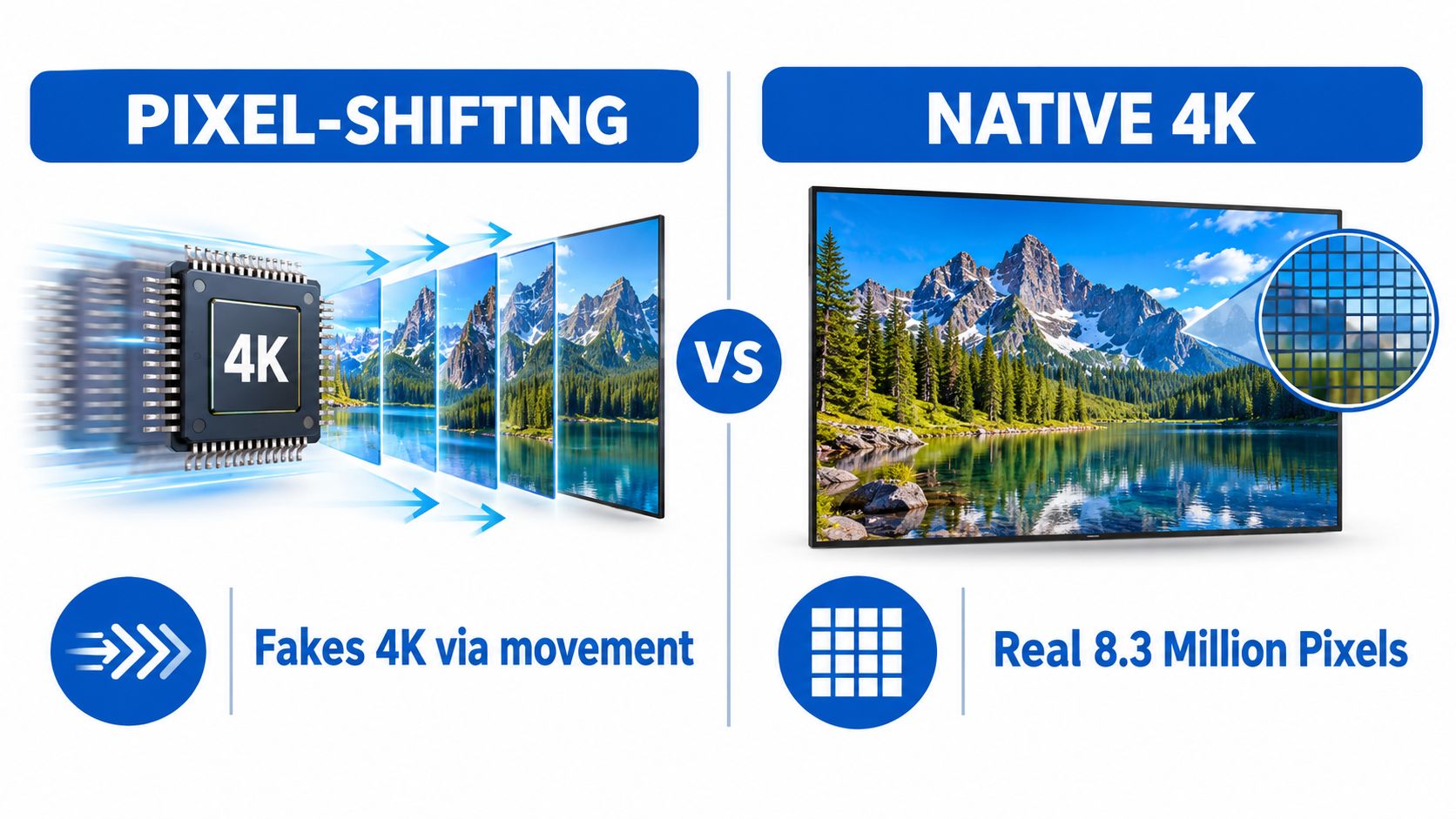
Pixel-shifting is the engineering compromise behind most compact 4K-capable projectors. The projector starts with a 1080p image, then rapidly moves the projected pixels across multiple frames. Your eyes integrate those positions into an image that appears to contain more detail than a single 1080p frame.
RTINGS confirms that all of its top 4K portable projector picks use this approach, creating the image by shifting multiple 1080p frames rather than using a native 3840 x 2160 chip, as summarized in this 4K portable projector market analysis.
What you notice on screen
Pixel-shifted projection can look sharp with a high-quality movie source, especially in a dark room and at a sensible screen size. Fine edges benefit from the extra image information, and the presentation can feel more cinematic than ordinary 1080p projection.
Native 4K has a simpler advantage. The imaging chip contains the full pixel grid at once, so small interface text, subtitles, thin lines, and detailed game environments retain more consistent structure. Pixel shifting can soften those elements when the processing, focus, alignment, or source quality isn't excellent.
The difference becomes easier to see in demanding scenes:
- Dark scenes: Pixel shifting can look rich when contrast is strong, but weak black levels make detail appear gray or flat.
- Bright scenes: More image information helps, but ambient light can wash out the perceived sharpness.
- Text and menus: Native 4K generally has the cleaner edge definition.
- Compressed streaming video: The source may limit visible detail before the projector does.
Supported input is not native resolution
A 4K-compatible label only tells you that the projector can receive a 4K signal. It doesn't prove that the projector displays every pixel natively. Some products convert the incoming signal to a much lower internal resolution, which is why the native-resolution specification deserves more attention than the headline compatibility claim.
Check the technical sheet for three separate terms:
- Native resolution, the physical resolution of the imaging system.
- Supported input resolution, the maximum signal the projector accepts.
- Processing method, such as pixel shifting or another form of image enhancement.
For films viewed in a dark bedroom, a well-tuned pixel-shifted model may be the sensible choice. For desktop work, spreadsheets, competitive gaming, or anyone who sits close to a large image, native resolution and focus uniformity deserve greater weight than a 4K badge.
Top Portable 4K Projector Models Compared
A useful comparison starts with image behavior, not brand familiarity. Contrast ratio, light output, and color reproduction are the three image-quality measurements that matter most in a portable chassis. Contrast deserves particular attention because it controls perceived depth and the separation between shadow detail and black.
Expert reviews place premium portable 4K models in the low- to mid-200 ANSI-lumen range, with contrast ratios around 1,300:1 to 1,600:1, as reported in CNET's 4K projector coverage. Those figures describe a performance envelope, not a guarantee for every model carrying a portable label.
| Model or class | Resolution position | Image strengths | Main compromise |
|---|---|---|---|
| Compact pixel-shifted 4K DLP | 4K-like output from lower-resolution imaging | Detail, small chassis, flexible placement | Not the same as native 4K |
| Premium portable 4K | Pixel-shifted 4K with stronger optics | Better contrast and color balance | Still usually needs a dark room |
| Bright room-to-room 4K unit | 4K-capable with higher light output | More usable with ambient light | Larger, heavier, and commonly mains-powered |
| Native 4K home-theater projector | True 3840 x 2160 imaging | Maximum pixel-level clarity | Less portable and less convenient |
| Mini projector with 4K input | Lower native resolution with 4K acceptance | Affordable, simple, easy to move | The displayed image isn't native 4K |
How the leading names fit
The Hisense C2 Ultra, BenQ GP520, and BenQ X300G are the types of products shoppers encounter when they want 4K capability without installing a fixed projector. They belong in a room-to-room comparison rather than a pocket-projector comparison. Their appeal is the combination of a large image, smart features, and easier movement than a traditional ceiling-mounted system.
The Samsung The Freestyle 2nd Gen represents the opposite priority. Its compact form and quick setup make it attractive for casual viewing, but a shopper shouldn't confuse small size with 4K performance. The Anker Nebula Capsule III is even more focused on handheld convenience and is better considered when battery use and easy transport matter more than ultra-high-resolution output.
For a more installation-oriented alternative, compare the ultra-short-throw laser projector guide. Ultra-short-throw designs can sit close to a wall, but they aren't the same kind of portable product and generally make more sense in a dedicated living-room arrangement.
What the numbers don't show
A higher lumen figure doesn't automatically produce a better image. If contrast is weak, extra light can make the picture brighter while leaving dark scenes washed out. Color reproduction also matters, particularly with skin tones, animated films, and HDR content.
In a dark bedroom, I'd prioritize balanced contrast and accurate color over maximum brightness. In a living room with windows, light output becomes more important, but you still need to inspect black-level performance. The best choice is the model whose measured behavior matches your room, not the projector with the most impressive single number.
Gaming Performance and Input Lag
A projector can look excellent for movies and still feel sluggish with a controller. Input lag is the delay between pressing a button and seeing the result on screen. Fast shooters, racing games, rhythm games, and competitive sports make that delay easy to notice.
PCMag recommends no more than 17 ms for hard-core gamers, while casual players may tolerate up to 50 ms. The same 4K projector gaming guidance explains why 4K mode can increase lag, since some projectors support higher refresh rates at 1080p but operate at a lower refresh rate in 4K.
Check the mode you'll actually use
Don't rely on a single input-lag number from a retailer listing. Manufacturers may quote the fastest game mode at a lower resolution, while your console is configured for 4K HDR.
Use this process:
- Enable the projector's game mode. This usually disables image processing that adds delay.
- Set the console or PC to your intended resolution. Test 4K if that's how you plan to play.
- Turn on HDR only if the projector maintains acceptable latency with it enabled.
- Check refresh-rate options. A 1080p high-refresh mode may feel more responsive than 4K at a restricted refresh rate.
- Test movement rather than menus. Camera pans and quick directional changes reveal sluggish response more clearly.
VRR support is another useful feature. It helps the projector synchronize the display with the console or graphics card, reducing tearing when frame delivery varies. It doesn't replace low input lag, but it can make motion look steadier.
Connectivity creates hidden latency
Use HDMI for a console whenever possible. Wireless casting is convenient for video, but it introduces a network path and processing steps that aren't ideal for competitive play. Bluetooth controllers can also feel less immediate than wired or console-native wireless connections, depending on the projector and controller combination.
A gaming projector should offer a clear way to switch between cinematic processing and low-latency playback. The input lag explainer for projector buyers can help you interpret the specification before buying.
For casual gaming, a projector with responsive 4K mode is enjoyable for large-screen adventure games and local multiplayer. For competitive play, choose the mode with verified latency, even if that means dropping to 1080p. A slightly softer image that responds immediately is more useful than a sharper image that makes every action feel late.
The Reality of Portability and Power
The word portable creates the wrong expectation for many 4K shoppers. A compact projector may move easily from a shelf to a coffee table, but that doesn't mean it belongs in a small daypack. Once manufacturers add brighter light engines, cooling hardware, larger speakers, and 4K processing, the chassis becomes a room-to-room device rather than a pocket gadget.
Reviews indicate that no palmtop or pico projectors currently combine 4K with battery power, while the most portable 4K models still weigh several pounds and may need an extension cord outdoors, according to RTINGS' 4K projector guide.

What portable means in daily use
Moving a projector between rooms is a meaningful convenience. You can store it after watching, avoid ceiling installation, and position it for a temporary screen. That is a different experience from carrying a battery-powered projector to a remote campsite.
Before ordering, check:
- Power source: Confirm whether the projector runs from wall power, USB-C power delivery, or an internal battery.
- Cable length: Outdoor placement often requires more reach than expected.
- Carrying design: A handle or fitted case matters more than a few millimeters of size.
- Surface stability: A lightweight unit still needs a level table, tripod, or stand.
- Heat and ventilation: Never cover vents with blankets, cushions, or soft luggage.
The projector brightness guide for daytime use is helpful when deciding whether your outdoor plan is realistic. Even a powerful portable model performs better after sunset, with a clean surface and controlled nearby lighting.
Plan the outdoor setup honestly
A backyard movie setup usually needs more than the projector. You may need a screen or pale wall, a power extension, an external speaker, and a way to keep the projector dry and stable. If carrying a cable defeats the point of your outing, a lower-resolution battery model may suit you better than a 4K room-to-room unit.
The portability paradox is simple. The more convincing the 4K image becomes, the less likely the projector is to behave like a battery-powered travel gadget. Buy for the way you'll transport and power it, not for the word portable on the product page.
How to Choose Your Ideal Projector
Start with the room, then choose the resolution. A small apartment bedroom with curtains can make a well-calibrated pixel-shifted projector look excellent, while a bright living room may make a sharper but dimmer model disappointing. Outdoor viewing adds another constraint, because power and ambient light can matter more than the 4K label.
Use this decision framework:
- For a dark bedroom: Prioritize contrast, quiet operation, autofocus, and good streaming support. Pixel-shifted 4K is a sensible compromise if you want movie detail without installing a fixed system.
- For a small apartment: Look for a compact chassis, flexible placement, and a short or moderate throw distance. A projector that needs excessive distance can be harder to use than a television.
- For casual gaming: Confirm game-mode latency, HDMI compatibility, and whether the projector keeps acceptable performance at your preferred resolution.
- For outdoor movies: Put power, brightness, weather protection, and speaker connectivity ahead of native resolution. A 1080p battery projector may be more practical than a mains-powered 4K model.
- For presentations and text: Native resolution, focus uniformity, and edge clarity matter more than cinematic HDR processing.
Read the specification sheet in the right order
First, find the native resolution. Then check supported input formats, brightness measurement, contrast, throw ratio, and connection options. Treat automatic keystone correction as a convenience rather than a substitute for placing the lens squarely toward the screen.
HDMI remains the safest connection for consoles, laptops, and streaming sticks. USB-C can be useful, but its role varies by product, so confirm whether it carries video, power, or only data. Built-in smart software can simplify streaming, but an external player may offer a better app selection and more consistent updates.
For a broader compact-projector comparison, see the best portable mini projector guide. DigiDevice offers portable 4K-capable projector products alongside accessories and other electronics, so shoppers can compare the projector's image goals with the cables, adapters, and power equipment their setup requires.
People Also Ask
Is a portable 4K projector really native 4K?
Usually, no. Many compact models use pixel-shifting with a 1080p imaging system, while others only accept a 4K input and convert it internally. Check the native resolution and processing method before treating a 4K label as proof of native 4K detail.
Can a portable 4K projector run on battery power?
Current reviews indicate that palmtop and pico projectors don't combine 4K with battery power. Most portable 4K models are mains-powered room-to-room units, so outdoor use may require an extension cable or a separate power solution.
Is 4K better than 1080p for gaming on a portable projector?
Only if the projector maintains responsive input lag in its 4K game mode. Competitive players should verify latency at the resolution and refresh rate they use, because some projectors respond faster when configured for 1080p.
Choose a projector based on your actual room, gaming habits, and power access rather than the largest number on the box. Browse the curated electronics and compact projection selection at DigiDevice, compare the available setup accessories, and check the price of the model that matches your version of portable cinema.