

Portable Projector Cheap Guide: Brightness, Specs and Picks
Most buying advice for a portable projector cheap enough for a bedroom starts with the wrong number. Ignore the biggest lumen claim on the box, fix your image size and room light first, then buy the cheapest model with verified ANSI lumens and native 1080p that fits that job. Updated for March 2026.
What a Cheap Portable Projector Can and Cannot Do
Summary Box: A cheap portable projector can give you a sharp 60 to 75 inch picture in a dark room. It will struggle in daylight, and it trades brightness, fan noise and built in sound for low weight and low price.
That's the honest trade. If you're expecting a daytime replacement for a living room TV, you'll be disappointed. If you want movie nights after dark without mounting a big screen, you're in the right category.
Where the boundary sits
The useful line is 500 ANSI lumens. Below that, keep the image small and the room dark. From 500 to 1,000 ANSI lumens, a much larger dark room image becomes realistic, though brighter surroundings still force you to shrink it.
You'll see two engine types on spec sheets. DLP uses digital micromirror chips, and LCD uses liquid crystal panels. I wouldn't pick by engine. Verified brightness and native resolution tell you more about the picture you'll live with.
Buy one for bedroom movies, a small apartment used after dark, backyard viewing after sunset, or light gaming. Skip it for daytime sports with blinds open. Skip it for competitive gaming unless input lag is documented.
For a second angle on building a small setup, read our theatre in a box guide for small spaces, then compare it against compact 1080p projectors with HDMI inputs before you shortlist anything.
Cheap Portable Projector Picks by Use Case
Choose by room and power first. The advertised lumen figure is the least useful number on the box unless it reflects verified ANSI brightness in the mode you will use. Match the projector to the image size and whether it runs on battery or wall power.
| Use case | Brightness target | Power mode | Priority spec | Skip if |
|---|---|---|---|---|
| Bedroom movies at night | 300 to 500 ANSI lumens | Plug in, battery optional | Native 1080p and quiet fan | You need daytime viewing |
| Small apartment, dim daytime | 600 to 1,000 ANSI lumens | Plug in | Brightness in Movie mode and manual keystone | You need a 120 inch image with lights on |
| Backyard movie after sunset | 500 to 1,000 ANSI lumens | Battery or power bank with verified output | Battery brightness and tripod thread | It dims sharply on battery |
| Budget gaming | 500+ ANSI lumens | Plug in | Documented low latency mode at 1080p | You play competitively and need lowest lag |
| Presentations and travel | 300 to 500 ANSI lumens | Battery or USB-C | Light weight and quick focus | The room has bright walls or windows |
Bedroom movies at night favor quiet operation and legible subtitles over extra brightness. The projector is close to the viewer, so fan noise can distract; native 1080p helps keep text clear at a modest image size. Compare a compact 1080p projector for bedroom movie nights by checking its native resolution and fan behavior, not just its advertised lumen figure.
Small apartment, dim daytime is a demanding use for a cheap projector. Check brightness in Movie mode, since a peak figure may not describe the mode you will watch in. Manual keystone correction helps you position the unit squarely without relying on digital correction. If a streaming stick is part of the setup, review Fire Box streaming subscriptions to see whether the services you use are available.
Backyard movie after sunset depends on brightness while unplugged, not just the rating with wall power. A tripod thread can help position the image above chair backs or uneven tables. Before choosing a battery-capable projector for backyard screenings, check whether its brightness drops on battery, and use this guide to plan a portable projector setup for camping and outdoor use.
Budget gaming calls for documented low latency at 1080p. A general game picture preset does not tell you the input lag. Presentations and travel put more weight on light weight and quick focus, since you may need to set up in rooms you do not control.
Use the skip if column to rule out a mismatch before comparing models. Buyers often regret skipping this check: a projector suited to a dark, small setup may disappoint in a brighter room or at a larger image size. DigiDevice lists compact projectors, but its general listings do not identify a specific model for each use case. Compare the relevant specifications and confirm the unit's brightness in your intended power mode before choosing.
Brightness Thresholds for Screen Size and Room Light
A projector's advertised lumen figure is often the least useful number on its box. Use ANSI lumens, measured by averaging illuminance across nine defined screen areas and multiplying that average by the screen area. The RTINGS projector research guide explains this method and why it makes brightness claims more comparable between models.
As a planning guide, projectors below 500 ANSI lumens suit images of roughly 75 inches or less in a dark room. Models rated at 500 to 1,000 ANSI lumens can suit images around 100 to 120 inches in darkness. In a dim room, plan for up to about 85 inches; in a bright room or early evening, about 60 to 80 inches with shade is a more realistic target.
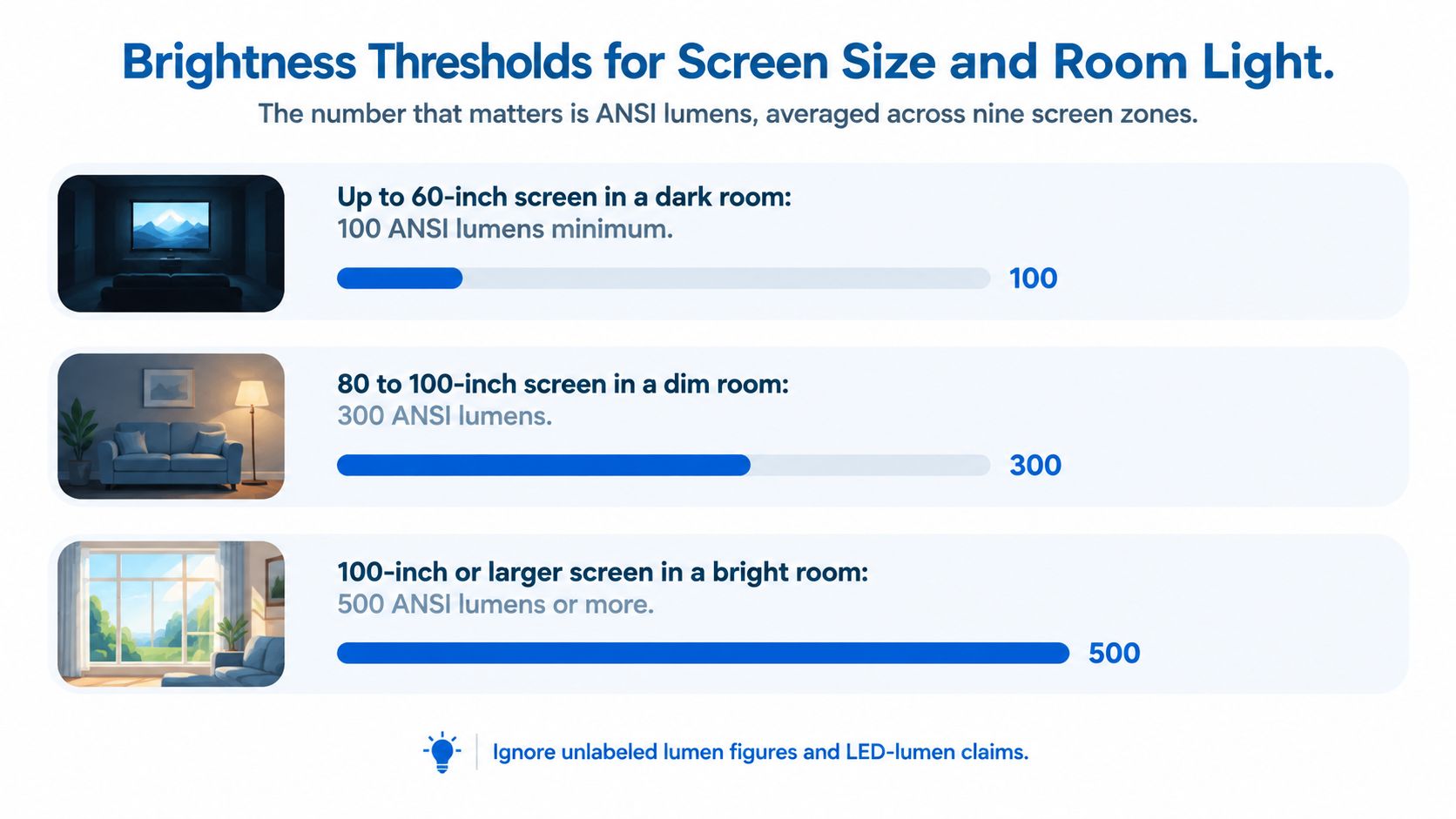
| ANSI lumens | Dark room | Dim room | Bright room or early evening |
|---|---|---|---|
| Under 500 | About 75 inches or less | Not recommended | Not recommended |
| 300 | About 75 inches or less, near total darkness only | Not recommended | Not recommended |
| 500 to 1,000 | About 100 to 120 inches | Up to about 85 inches | About 60 to 80 inches with shade |
These are planning limits, not tested values for every projector. Check the image in your room during the return window if you can.
Why the mode matters more than the maximum
A quoted brightness figure may apply only in a high-power mode. Maximum output can shift colors and reduce image quality, so check which picture mode the rating describes and how bright the projector remains in the mode you plan to use.
For a 100-inch image on a beige bedroom wall with the lights off, a projector in the upper brightness band can produce a punchier picture with more distinct faces and dark scenes. Turn on ceiling lights, and the same image can look washed out because ambient light raises the apparent black level.
Wall color affects the result, too. Beige can reduce contrast and make whites look warmer. A matte white wall or an inexpensive screen can return more of the projector's light. Set your screen size and viewing distance together, using TV placement and seating layout as a guide to distance and viewing angle.
- Fix size first: Measure the usable wall width instead of choosing a diagonal you cannot fit.
- Match the band: Choose the least expensive projector whose verified ANSI output suits that size and room light.
- Shrink before you spend: Reducing an image from 100 to 80 inches makes the same projector look noticeably brighter without additional equipment.
For daytime viewing, comparing lumen brightness for daytime projector use explains the limits imposed by ambient light. Set your image size first, then choose a projector in the matching brightness band. Paying for more output makes sense only if your room light or intended screen size requires it.
Specs That Matter Beyond Brightness
Advertised brightness is the least useful number on a cheap projector's box if the rating does not say how it was measured or which mode produced it. Check the operating details alongside resolution, input lag, connections, battery runtime, and mounting options. If the listing leaves a spec unclear, treat that as a reason to verify it before buying.
| Spec | Target for budget buyers | Why it matters | Red flag |
|---|---|---|---|
| Native resolution | 1080p native | Keeps subtitles and desktop text more readable | Only says 4K support |
| Input lag | Published figure at 1080p/60 Hz | Helps you judge controller response | No lag figure published |
| Low latency mode | Works at 1080p | Reduces image processing for gaming | Mode only works at lower resolution |
| Brightness rating | Verified ANSI lumens in the mode you'll use | Connects the rating to usable picture size | Unlabeled lumens or LED lumen claim only |
| Keystone correction | Manual focus and placement preferred | Avoids softening from aggressive digital correction | Aggressive auto correction only |
| Inputs | HDMI, plus USB-A for a streaming stick | Connects a console or streaming device | No HDMI port |
| Battery | Runtime stated with test conditions | Shows what to expect away from an outlet | Runtime given without conditions |
| Weight and mount | Carry handle and tripod thread | Makes carrying and positioning easier | No mounting option |
Native resolution is the first misread spec
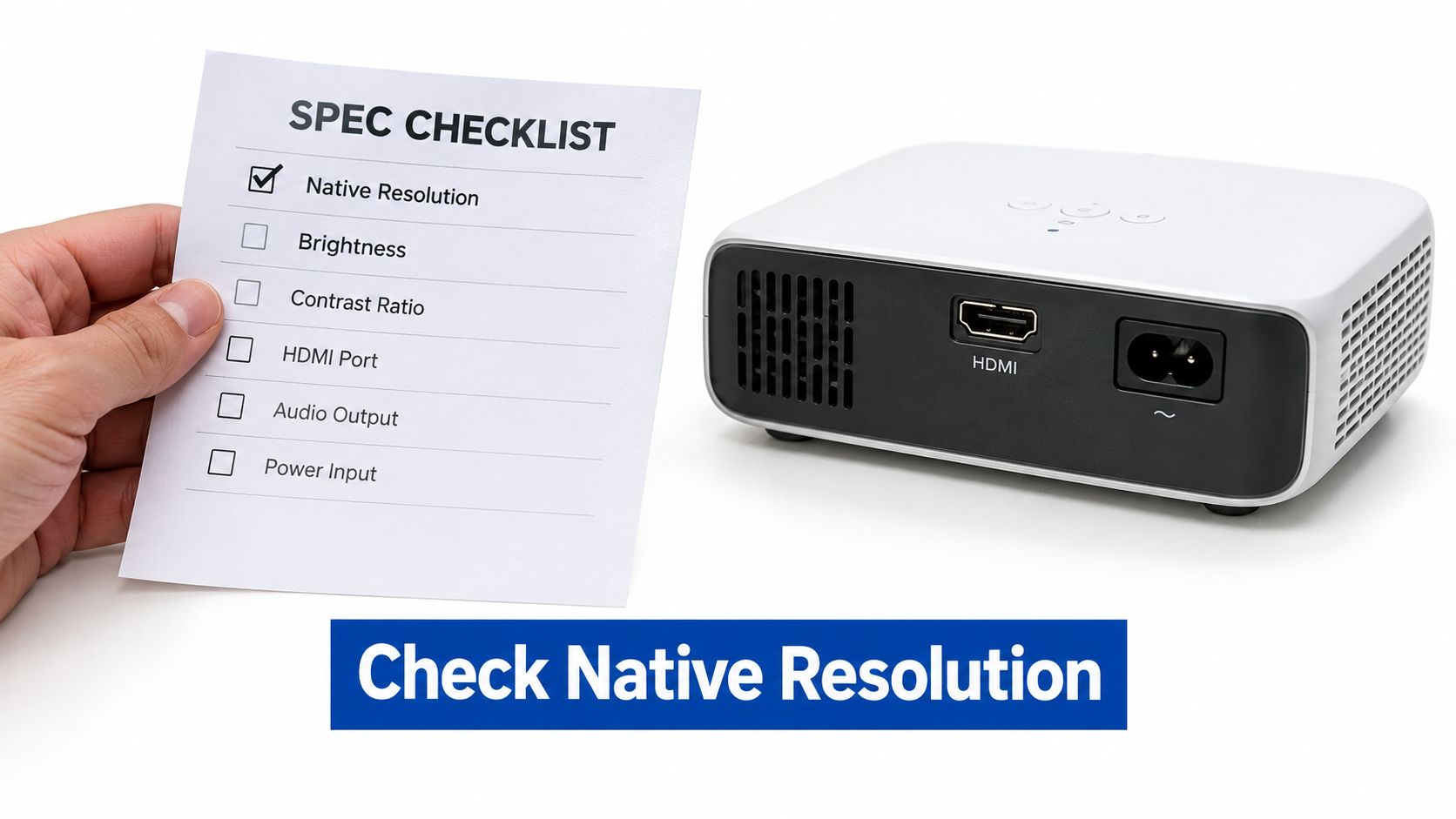
A 4K support label often means the projector can accept a 4K signal, not display it with 4K pixels. CNN Underscored's portable projector testing describes this distinction. For readable subtitles, desktop text, and console output, 1080p native resolution is a more useful target than an input-format badge.
A native 720p panel still displays 720p worth of detail when fed a 4K signal. Check the native panel resolution, rather than assuming the accepted signal determines the displayed detail.
Setup can also affect perceived sharpness. Focus, placement, and digital correction all shape the image, so don't judge resolution from a listing photo alone.
Input lag is the second misread spec
Input lag is the delay between a controller action and its appearance on screen. It varies widely between models, so check the listing's published figure and whether its low latency mode works at 1080p. A figure without a stated resolution or mode is difficult to compare.
For console use, confirm that the low latency mode is available at the resolution you plan to play. Image processing features such as keystone correction may affect both response and sharpness. If gaming matters more than quick setup, physical placement and manual focus can avoid relying on aggressive digital correction.
Check the connections next. HDMI handles consoles and streaming sticks; USB-A may power a stick if it supplies enough current. Battery runtime also needs context: a figure measured at low brightness does not tell you how long the projector will run at movie brightness. Weight and a tripod thread help determine whether it suits travel or moving between rooms.
If you plan to mirror content, this guide to connecting a phone to a projector covers wired and wireless options. For console use, browse compact projectors with HDMI inputs. When placement is tight, a projector with a tripod thread offers an alternative to propping up one corner with books.
Trade-offs and How to Test Real Brightness
Start with the job, not the lumen claim. In a small apartment, a projector may replace a TV when wall space is limited. On a porch, it avoids moving a television outdoors. For travel, it can replace a presentation screen you cannot control. Each use exposes different trade-offs: image size, room light, battery operation, sound, and placement all affect whether a cheap model works for you.
The Consumers Guide portable projector roundup puts roughly 300 ANSI lumens at near-total darkness for a watchable 80-inch image, around 600 lumens for a dim room, and 1,000 or more for normal ambient light. Treat those figures as context, not a promise that every projector will look alike. The advertised lumen figure is often the least useful number on the box. What matters is verified ANSI brightness in the mode, image size, and power setup you will use.
Advertised brightness does not establish battery output.
Portable does not automatically mean ready for outdoor viewing. Check the picture under your own conditions while a return is still possible.
A repeatable usable brightness test
- Check the rating: Find the ANSI or ISO figure on the spec sheet, and note whether it is measured or only claimed. Record the mode associated with it.
- Set Movie or Standard mode: Avoid judging brightness only in Bright or Dynamic mode. Those modes can make a shop demo or first impression look better than the picture you will keep for movies.
- Project at your real size: Use a tape to set an 80-inch image at your usual throw distance. Guessing the distance changes the image size and makes later comparisons unreliable.
- Watch two scenes: Use a dark scene to check shadow detail, then a bright scene with white text to judge faces and highlights. If faces look green or waxy in the bright mode, switch to Movie and judge again.
- Repeat on battery or USB-C: Some models may produce less brightness on battery or USB-C than when plugged into wall power. Compare the same scene at the same size and in the same mode, changing only the power source.
- Listen from your seat: In a quiet room, note fan noise from your seating position in Eco and Movie modes. A fan that fades into the background across a living room may be intrusive beside a pillow.
- Read the subtitles: Pause on a subtitle-heavy scene at your chosen image size. If you have to squint, reduce the image or reconsider the projector's native resolution. That shortcoming will matter during regular viewing.
What the test reveals that listings hide
Independent 2025 testing summarized by The Smart Home Hookup portable projector comparison found that advertised brightness can be misleading and that image quality can be best at only about 40% of a projector's peak brightness. For buying decisions, compare the measured output in the mode you can comfortably watch, rather than treating peak output as usable movie brightness.
A cheaper projector with lower advertised lumens can still be the better choice if its color-accurate mode preserves detail without excessive fan noise. I would favor that balance over a brighter-looking image that becomes tiring to watch. Small brightness increases are hard to notice, so do not pay a premium for a minor numerical bump.
Focus and placement deserve the same practical check. Square the projector to the wall, focus at the center, and inspect the corners before relying on autofocus or auto keystone. Digital correction can soften the image or crop pixels, so physical placement is the better starting point.
Sound is another compromise. Built-in speakers in a 1 kg projector can handle dialogue at close range, but may sound thin during action scenes or carry too far at midnight. For group viewing, plan for a small Bluetooth speaker. In an apartment with thin walls, wireless earbuds for private late-night viewing can keep sound to yourself.
Heat affects both placement and comfort. Do not run the projector on bedding that blocks its vents; leave room around shelf exhausts. If heat makes the projector dim the image or run its fan harder, performance later in a viewing session may differ from the opening minutes.
Keep a simple test log: mode, image size, power source, fan impression, and subtitle check. These details show whether the specific projector suits your room more clearly than a listing's headline figure.
One DigiDevice example to screen this way is the VEVSHAO A12 Mini Portable LED Projector. Its listed specifications include a 1.028 kg design, built-in speaker, Android 11, Wi-Fi 6, smartphone mirroring, and support for up to 4K video input. Treat the 4K input claim as distinct from native resolution. Check native resolution and ANSI output on the live listing, then use the same brightness test before deciding whether it fits your wall.
Which Cheap Projector to Buy for Your Room
Decide in three steps and don't let a sale banner reorder them.
- Name the room: Bedroom, small apartment, backyard, or gaming corner. One primary job, written down.
- Set the target size: Use the throw ratio on the spec sheet to turn your desired image width into a distance. Adjust with zoom or fixed placement rather than digital keystone, which spends pixels to fix geometry.
- Buy the cheapest passing unit: Verified ANSI output in the right band for that size and light, plus a clean pass on resolution, inputs and lag where relevant.
Then apply the overrides. A bright window you can't curtain moves you up one lumen band, or moves viewing to after dark. A battery only plan requires the battery picture test, not a runtime badge. A console requires HDMI plus a low latency mode at 1080p.
Room dressing helps more than shoppers expect. If you're styling around the screen wall anyway, ideas on how to create a cinema in your living room show how seating, light control and wall treatment lift even a budget picture.
Match your room to its row in the use case table, then confirm sizing with our projector screen sizing guide before you order a screen or rearrange furniture. If two models still tie, pick the quieter one for bedrooms and the brighter in Movie mode for apartments. That tiebreaker reflects how you'll use it at 10 pm, which is when these projectors earn their keep.
Frequently Asked Questions About Cheap Portable Projectors
How far from the wall should a cheap portable projector sit? Use the throw ratio on the spec sheet to convert your desired image width into distance, then set that distance with a tape before focusing. Adjust with optical zoom or by moving the unit, not digital keystone. Re-check focus at the corners after any move, since center sharpness can hide soft edges.
Will a budget projector run for hours without trouble? Check the rated light source life on the spec sheet, then run a two hour test at home and watch how fan speed and heat build over time. Use Eco mode for long sessions to hold heat and noise down. Keep vents clear of bedding and shelf walls so airflow stays steady.
Can I connect a game console or streaming stick without an adapter? Yes, if the unit has HDMI, a console or stick connects directly. Check whether the stick needs its own USB power, because a projector's USB-A port may not supply enough current and can cause reboots. When in doubt, power the stick from its own adapter.
Ready to shortlist? Check price on the compact 1080p projector that fits your room and run it through the test steps on your first night.
DigiDevice stocks compact projectors, earbuds, chargers and small space entertainment gear chosen for renters, travelers and late night movie watchers who'd rather verify specs than chase badges. Match your room, image size and power plan to a model, then visit DigiDevice to compare current listings and pick the projector you'll use after dark.