

Laser Projector Best Picks for Every Room and Budget
You've found the right projector, but the room still looks washed out, the fan sounds like a small appliance, and the “cinematic” color preset makes skin tones look strange. That's the trap behind many laser projector best searches: the brightest model isn't automatically the best model.
The practical answer is to match the projector to the room, viewing distance, content, and tolerance for setup compromises. A compact short-throw unit can make more sense in an apartment, while gaming buyers should prioritize input lag and refresh-rate support, and movie fans should judge measured color accuracy rather than peak lumen claims.
Introduction Why Laser Projectors Win in Small Spaces
A typical apartment movie night exposes the weakness of an ordinary lamp projector quickly. You place it on a coffee table, wait for the bulb to warm up, close the curtains, and still get a gray-looking picture whenever a lamp or streetlight enters the room. Later, the bulb cools down slowly, the chassis stays hot, and you start wondering how often the light source will need replacing.
Laser illumination solves much of that daily friction. It starts quickly, maintains brightness more consistently than a traditional lamp, and avoids the regular bulb-replacement routine that makes casual projection feel like maintenance rather than entertainment. It doesn't eliminate every compromise, though. A projector still needs controlled light, sensible placement, and a screen or wall that won't undermine contrast.
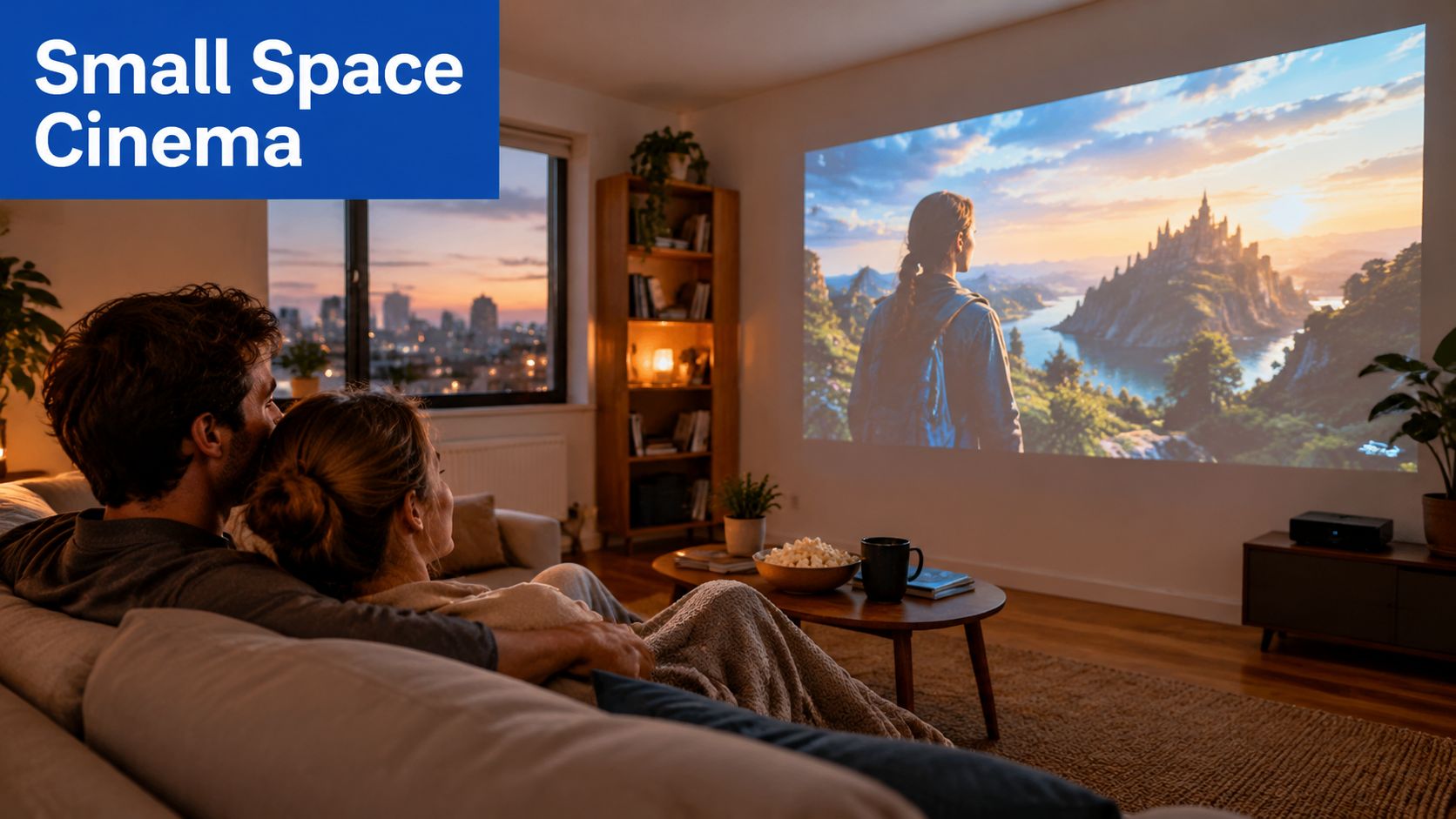
In our testing, the most satisfying compact setups weren't necessarily the ones with the highest advertised brightness. They were the ones that balanced image size, throw distance, fan behavior, color mode, and the amount of light the room allowed. That distinction matters in a bedroom, a shared living room, or a backyard where there isn't a dedicated blackout environment.
This guide is updated for March 2026. It treats “best” as a room-fit decision, not a leaderboard. You'll find the relevant specifications, projector form factors, use-case recommendations, and practical setup advice. For a broader compact entertainment approach, see this theatre-in-a-box guide, then compare available compact projectors on DigiDevice.
What Makes a Laser Projector Different
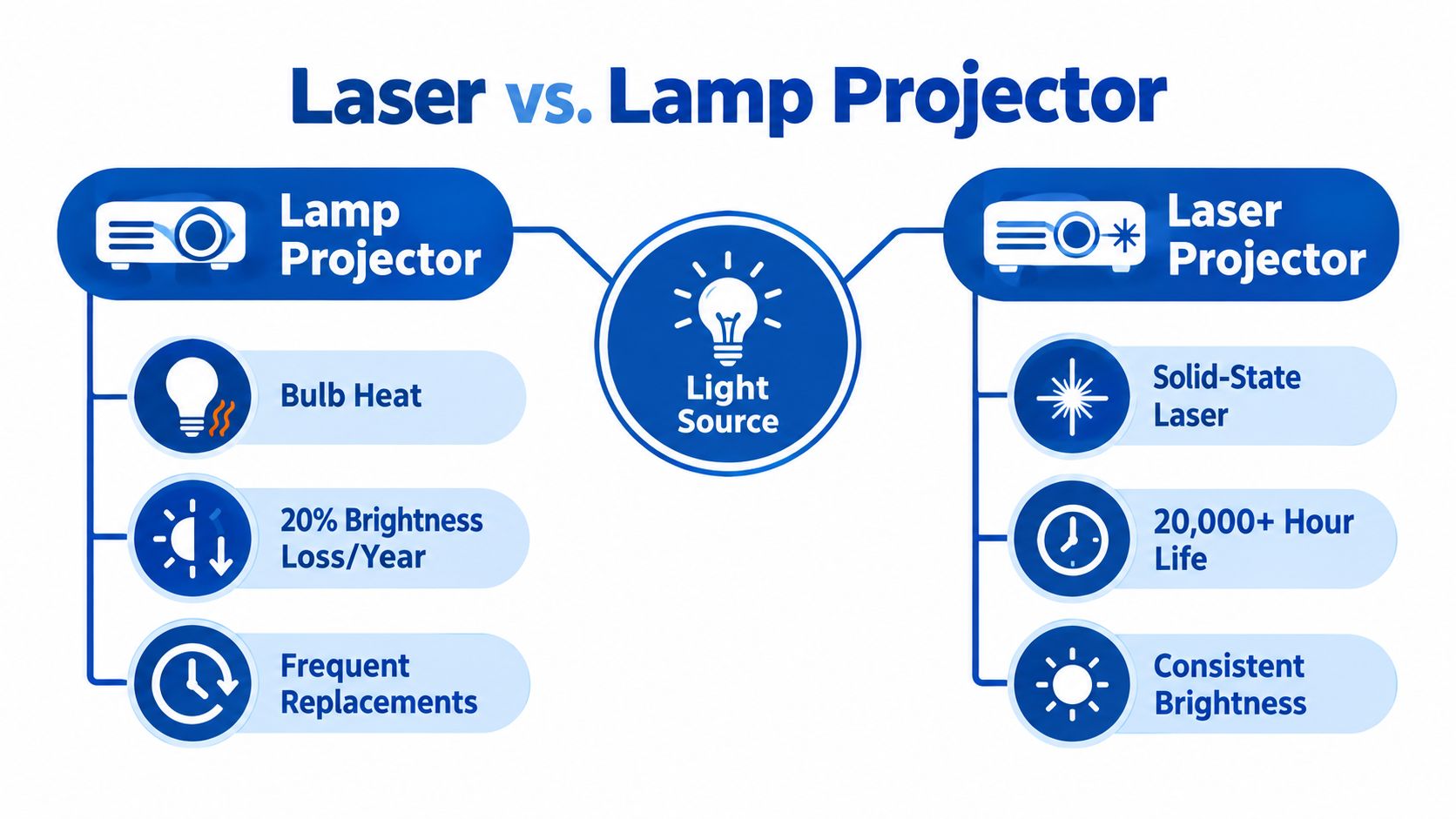
The light engine is the starting point. A lamp projector produces light with a replaceable bulb, while a laser projector uses a solid-state source. That difference affects startup behavior, brightness retention, heat management, and how often the owner needs to intervene.
Laser projectors were already being introduced in the 1980s as an advanced alternative to conventional projection, with clearer images and longer longevity described as key advantages in the technology's early development. The category has since moved from specialist equipment toward mainstream use in classrooms, enterprise spaces, entertainment venues, and home cinema. Wemax's history of laser projectors describes that progression from early innovation to broader adoption.
Why the light source changes ownership
A lamp gradually loses output and eventually needs replacement. A laser engine doesn't make the projector maintenance-free, but it generally reduces the frequency of light-source replacement and gives the owner more predictable everyday performance. Instant or near-instant startup also suits people who use a projector for occasional television, gaming, and movie sessions rather than a formal cinema ritual.
The industry direction supports that shift. One 2026 summary reported 10.443 million global projector shipments in the first half of 2026, down 5.3% year over year, while laser light sources grew 14.9% during the same period. The same summary reported overseas shipments of 8.103 million units, down 1.3%. These figures come from the Wemax market and technology summary.
A separate market snapshot said laser and solid-state light engines represented 64.0% of global projector shipments, which indicates that manufacturers are moving decisively toward solid-state illumination. That doesn't mean every laser projector produces a perfect image. It means buyers have more choice across portable, short-throw, smart, and dedicated home-cinema designs.
Practical rule: Treat laser as a lower-maintenance foundation, not a guarantee of high contrast, accurate color, or quiet operation.
The market is also expanding financially. One forecast places the laser projector market at USD 15.38 billion in 2025 and USD 49.77 billion by 2031, with a projected 21.62% CAGR from 2026 to 2031. Another projection estimates growth from USD 9.097 billion in 2025 to USD 42.37 billion by 2035, at a projected 16.63% CAGR. TechSci Research's laser projection market report identifies Asia Pacific as a leading market and enterprise use as a major growth segment.
Key Specs That Determine the Best Laser Projector
A spec sheet can make almost any projector sound impressive. The useful question is whether each specification solves a problem in your room.
Brightness and ambient light
Advertised lumens aren't always equivalent to measured viewing brightness. High-power or dynamic modes can produce a much brighter image, but they may also raise fan noise and distort color. A projector that looks spectacular on a peak setting may be less enjoyable for a film if its cinema mode is significantly dimmer.
Prioritize brightness when you watch during the day, use a large screen, or can't control windows. For evening movies in a darker room, balanced output and contrast usually matter more than chasing the highest headline number. This brightness comparison guide for daytime projector use is a useful companion when room light is your main concern.
Resolution and signal handling
Native 4K panels can provide a sharper image, but advanced pixel-shifting systems can also accept and display 4K input effectively. Look beyond the input label and check how the projector handles focus uniformity, motion processing, HDR, and fine text.
For gaming, a clean 1080p mode with a high refresh rate may feel more responsive than a heavily processed 4K mode. For movies, reliable 4K HDR handling and stable focus across the image may be more valuable than an aggressive gaming preset.
Color gamut and accuracy
Wide-gamut coverage describes the range of colors a projector can reproduce. Accuracy describes how closely it reproduces the intended colors. Those aren't the same thing.
The JMGO N1 Ultra measured 93.99% BT.2020 coverage in xy and 96.46% in uv, alongside 1,661:1 FOFO contrast. The BenQ W5800 measured 99.35% P3 coverage and 74.06% BT.2020, showing that a projector can favor accurate P3 cinema workflows rather than maximum BT.2020 reach. These measurements are detailed in ProjectorCentral's JMGO N1 Ultra review.
Contrast and black level
Contrast determines whether dark scenes retain depth or turn into a flat gray wash. DLP laser projectors can look punchy in rooms with ambient light, but a dedicated dark-room cinema buyer should pay close attention to native contrast, black-floor behavior, and shadow detail.
Don't rely on an enormous dynamic-contrast figure alone. Look for independent measurements and viewing impressions that explain how the projector behaves in dark scenes, not just how bright it gets on a test screen.
Input lag and refresh rate
Gaming performance depends on the delay between controller input and image response. The BenQ X300G reached 16.7 ms at 4K/60 Hz, described as close to the DLP minimum and excellent for gaming. Several other tested laser projectors remained under 20 ms at 4K/60 Hz, while some improved further at 1080p/120 Hz and 1080p/240 Hz. The Smart Home Hookup's gaming projector testing shows why refresh-rate support belongs beside brightness in a gaming comparison.
Use this checklist before buying:
- Room light: Can you watch in the projector's accurate mode, not only its brightest mode?
- Image source: Does it accept the resolution and HDR format you use?
- Color: Is the priority P3 cinema accuracy, BT.2020 reach, or vivid casual viewing?
- Placement: Will the throw distance and lens adjustments work without heavy digital keystone?
- Gaming: Does the low-latency mode preserve enough image quality for your games?
Detailed Comparison of Laser Projector Types
Projector design changes the installation more than many buyers expect. A standard long-throw model can produce a large image from farther away, while a short-throw projector reduces the distance between the lens and wall. An ultra-short-throw unit sits close to the screen, which is useful when a coffee table or narrow room can't accommodate a conventional setup.
| Type | Best Room Fit | Setup Ease | Color and Contrast Tradeoff |
|---|---|---|---|
| Standard long-throw | Dedicated rooms and larger living spaces | Requires more distance and careful alignment | Often allows a larger image, but placement is less forgiving |
| Short-throw | Apartments, bedrooms, and shared living rooms | Easier to keep the projector out of walking paths | Wall proximity can simplify placement, while screen alignment remains important |
| Ultra-short-throw | Media consoles and very shallow rooms | Convenient physical placement, but wall alignment is critical | Works well with a suitable screen, but surface imperfections become obvious |
| Portable laser | Bedrooms, travel, temporary rooms, and backyards | Fast to move and store | Compact optics and speakers can limit contrast, sound, or color refinement |
| Fixed home cinema | Controlled rooms and permanent installations | More setup work at the beginning | Usually gives the strongest path to lens quality, calibration, and sound integration |
| Single-laser | General entertainment and value-focused setups | Usually straightforward | Can offer strong brightness, but color gamut may be narrower than RGB designs |
| Triple-laser RGB | Cinema, HDR, and wide-gamut enthusiasts | May need more careful tuning | Wider color potential, with possible rainbow artifacts on some DLP models |
Short-throw and ultra-short-throw designs have grown as manufacturers target space-constrained environments. Smart functions and network connectivity are also becoming common, but convenience features don't replace optical quality or sensible placement. For a detailed look at the category, review this ultra-short-throw laser projector guide.
Portable models are especially relevant to flexible households. Independent market data put portable laser projectors at a 38.5% revenue share in 2025, while Asia Pacific accounted for 42.3% of global share. Those figures come from the laser projection market snapshot. The implication is practical: many buyers value a projector they can move, not only a chassis that stays mounted in one room.
In our testing, triple-laser systems win on gamut potential, but they still need sensible picture settings. Wider color isn't the same as accurate color.
For an apartment, short-throw is often the most forgiving starting point. For a dark room, a fixed home-cinema projector can justify its larger footprint. For travel or backyard use, portability wins only if you accept compromises in sound, optics, and setup precision.
Best Laser Projector Use Cases and Situational Picks
The right choice becomes clearer when the job is specific. A projector for a competitive console setup shouldn't be selected using the same priorities as one for weekend backyard films.
Apartment movie nights
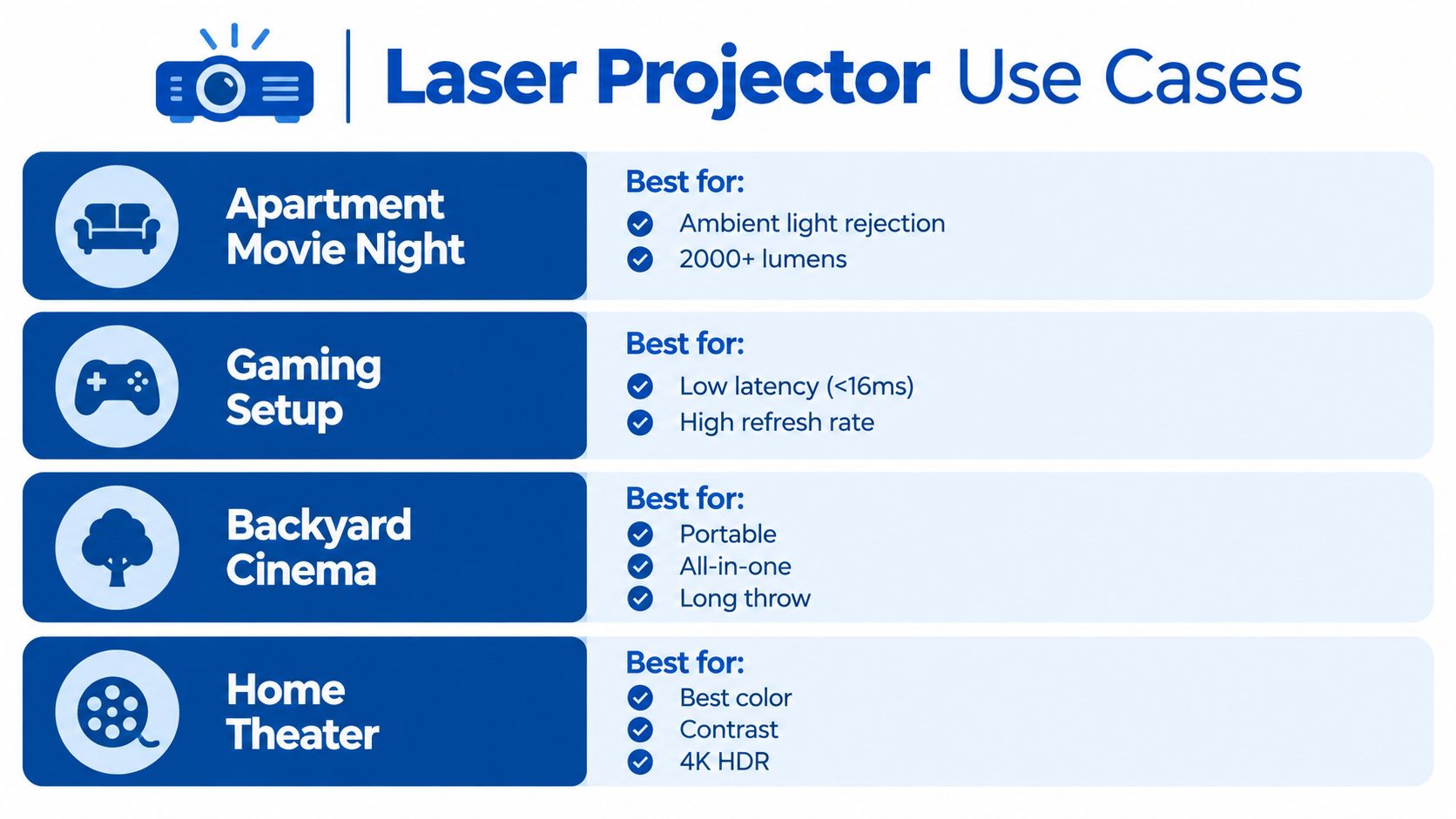
Prioritize placement, moderate ambient-light handling, autofocus, and usable built-in streaming. A short-throw or compact lifestyle model keeps the projector away from the center of the room and reduces cable clutter.
Accept some black-level compromise if the room has pale walls and uncontrolled light. Avoid relying on digital keystone more than necessary, because cropping and scaling can reduce usable resolution and brightness.
Competitive gaming
Latency comes first, then refresh rate, resolution, and motion handling. The BenQ X300G's measured 16.7 ms at 4K/60 Hz provides a useful reference point, while the tested group of laser projectors under 20 ms at 4K/60 Hz shows that responsive large-screen play is achievable without automatically dropping to basic resolution.
The tradeoff is often picture processing. Low-latency modes may disable image enhancements or color adjustments, so compare the response mode you'll use, not just the lowest number printed in marketing material. A 1080p/120 Hz or 1080p/240 Hz mode can be more useful for fast games than a slower, heavily processed 4K mode.
Backyard cinema and travel
Portability, quick focus, onboard audio, and flexible power matter more than deep calibration. A portable model should be easy to carry, position, and pack away before dew or changing weather becomes a problem.
Avoid treating outdoor use as a brightness contest. Dark surroundings help, but stray light, uneven surfaces, and weak speakers can still ruin the experience. Browse portable projectors for flexible setups if you need equipment that can move between rooms.
Bright living-room mixed use
For television, sports, movies, and occasional games, choose a model with a strong everyday picture mode and dependable processing. Peak output helps with windows, but a calibrated mode that preserves skin tones and neutral whites is more useful for long viewing sessions.
A 2025 review recorded 5,423 lumens in a high-power mode with an average color error of 21.92, while lower-output projectors produced better accuracy. The Smart Home Hookup's 2025 review demonstrates the central tradeoff: maximum brightness can bring noise and color shifts, so the best living-room projector is often the one that looks convincing in its normal viewing mode.
For a complete entertainment setup, compare home entertainment projectors with your screen size, seating distance, and audio plans.
Recommended Laser Projectors by Category
There isn't one honest winner for every room. My shortlist separates compact placement, gaming response, portability, and cinema value because each category rewards different hardware choices.
Best for apartments
The Magcubic HY450 is the relevant type of product for a shallow room where placement matters more than a dedicated ceiling installation. Its ultra-short-throw design can sit near the wall or screen, keeping the floor clear.
Its limitation is the usual one for compact lifestyle projection. You'll need a reasonably flat projection surface and careful alignment, and you shouldn't assume that a convenient chassis delivers the same contrast or calibration controls as a fixed home-cinema model. See the Magcubic HY450 ultra-short-throw projector when your main problem is distance.
Best for gaming
The BenQ X300G earns attention because independent testing measured 16.7 ms at 4K/60 Hz, placing it in an excellent range for gaming, as reported by The Smart Home Hookup's 4K laser projector tests. It makes sense for players who want a large image without accepting sluggish controller response.
The limitation is that gaming-focused picture modes can prioritize speed over calibration. Check whether the mode you need preserves HDR, color controls, and the refresh rate your console or PC can deliver.
Best portable option
The DITONG HY300 Plus HD Projector is aimed at buyers who need a small, movable projector for bedrooms, trips, and informal viewing. Its appeal is convenience rather than reference-grade cinema performance.
The Magcubic HY310X Portable Projector offers the same broad category fit for users who want a flexible unit that can move between a desk, bedroom, and temporary movie setup. Review portable projector buying guidance before choosing between compact size, image refinement, speakers, and connection options.
Best value home cinema direction
For shoppers who want a lower-cost route into large-screen viewing, start with the best projectors under $500 guide. The right value model should offer stable focus, a usable cinema preset, straightforward source connections, and enough placement flexibility for the room.
In March 2026, inventory and pricing can change, so treat product pages as the final check before purchase. DigiDevice carries projectors alongside other home-entertainment electronics, which makes it a practical place to compare compact and portable options without confusing peak lumen claims with measured picture quality.
My buying preference: If two projectors look similar on paper, choose the one with the clearer placement information, better return support, and a picture mode you can enjoy without running the fan at full speed.
Setup and Maintenance Tips for Long Term Performance
A good projector can look disappointing if it sits too close to a bright window or relies on aggressive keystone correction. Use this short setup sequence:
- Measure first: Confirm throw distance, screen size, and power access before unboxing.
- Place it squarely: Keep the lens aligned with the screen whenever possible.
- Focus manually after autofocus: Autofocus gets you close, but fine adjustment improves subtitles and small text.
- Control stray light: Curtains and a suitable screen often help more than switching to an overly bright picture mode.
- Pair proper audio: Built-in speakers work for temporary viewing, while a soundbar or separate system suits regular cinema use.
- Protect airflow: Keep vents clear, clean accessible filters as directed, and avoid enclosing the chassis in a tight cabinet.
- Use an eco mode when appropriate: Lower output can reduce fan noise during darker-room viewing.
If color shifts or fan noise appear in a high-brightness preset, switch to a cinema or standard mode before assuming the unit is defective. For a polished room, practical cinema poster installation help can also help coordinate the visual finish around the screen and seating area.
Lamp-based owners can compare the maintenance burden with this Optoma projector lamp replacement guide. For laser buyers, the lesson is simpler: keep the optical path and ventilation clean from the beginning.
Frequently Asked Questions About Choosing a Laser Projector
Is a laser projector easier to maintain than a lamp projector?
Usually, yes. Laser systems avoid routine bulb replacement and generally provide steadier light-source behavior, although fans, filters, optics, and software still need sensible care. The laser projection market overview connects the category's growth with longer service life, brightness retention, and lower replacement frequency.
Is laser projection safe for a small apartment?
A properly installed consumer projector is designed for normal home viewing, but don't stare into the lens or place it where children can reach the optical path. The image itself is reflected from a wall or screen, so room placement and ventilation are the practical concerns.
How much brightness do I need near windows?
Choose brightness based on screen size, window direction, curtain control, and whether you watch in an accurate picture mode. Don't pay for peak output alone. A model with lower measured brightness but better color may produce the more convincing image for movies.
DigiDevice offers compact, portable, and ultra-short-throw projector options for shoppers comparing apartment cinema, gaming, and flexible backyard setups. Visit DigiDevice to check current projector availability and prices, then choose the model that fits your room rather than chasing the largest lumen figure.