

Best Projectors Under 500 Worth Buying in 2026
You're in a small apartment with a blank wall, a coffee table, and the same annoying question every renter runs into, do you buy another TV, or do you finally go projector? At under $500, the answer isn't a gamble anymore. The current market has enough real brightness, real resolution, and real room-friendly models that a good projector can replace a second screen without feeling like a toy.
The key is picking for the room you live in. A best projectors under 500 shortlist only makes sense if it matches your light control, wall size, and whether you care more about movies, gaming, or portability.
Why a Sub-$500 Projector Makes Sense Right Now
I've set up projectors in cramped living rooms where the couch is too close to the wall and the TV stand already feels overstuffed. In that kind of space, a projector isn't a luxury move, it's the cleanest way to get a big image without dedicating a whole wall to a flat panel. The old idea that budget projectors are weak, blurry compromises doesn't hold up anymore, especially when mainstream buying guides now treat native 1080p and 3,000+ ANSI lumens as the practical baseline for mixed or bright rooms. ProjectorVerdict lays out that brightness threshold clearly, and it's the right way to think about this price tier.
A better way to frame the category is simple. Dark-room viewing can work in the 2,000 to 2,500 ANSI lumens range, while 3,000+ lumens is what starts to push back against ambient light, again per ProjectorVerdict. That's why a sub-$500 projector now fits renters, dorms, and one-TV households so naturally. You can move it, stash it, and still get a view that feels intentionally cinematic instead of improvised.
Who this price band actually serves
- Apartment dwellers: You get a large image without mounting another big screen.
- Dorm users: You get a flexible display that can move with you.
- Gaming-first buyers: You can prioritize lag and HDMI over unused premium features.
- Backyard hosts: You can trade permanence for a setup that comes out when friends do.
Practical rule: if your room has any daylight at all, don't start shopping below the brightness threshold that real buying guides keep returning to.
ProjectorReviews also makes the timing point that matters for buyers, prices in this category are tied to late December 2025 and early January 2026 listings, so the number on the tag can shift with promotions ProjectorReviews. That's why the best move isn't chasing the cheapest listing, it's buying the model that fits your room and then catching a good sale.
The Specs That Actually Matter at This Price
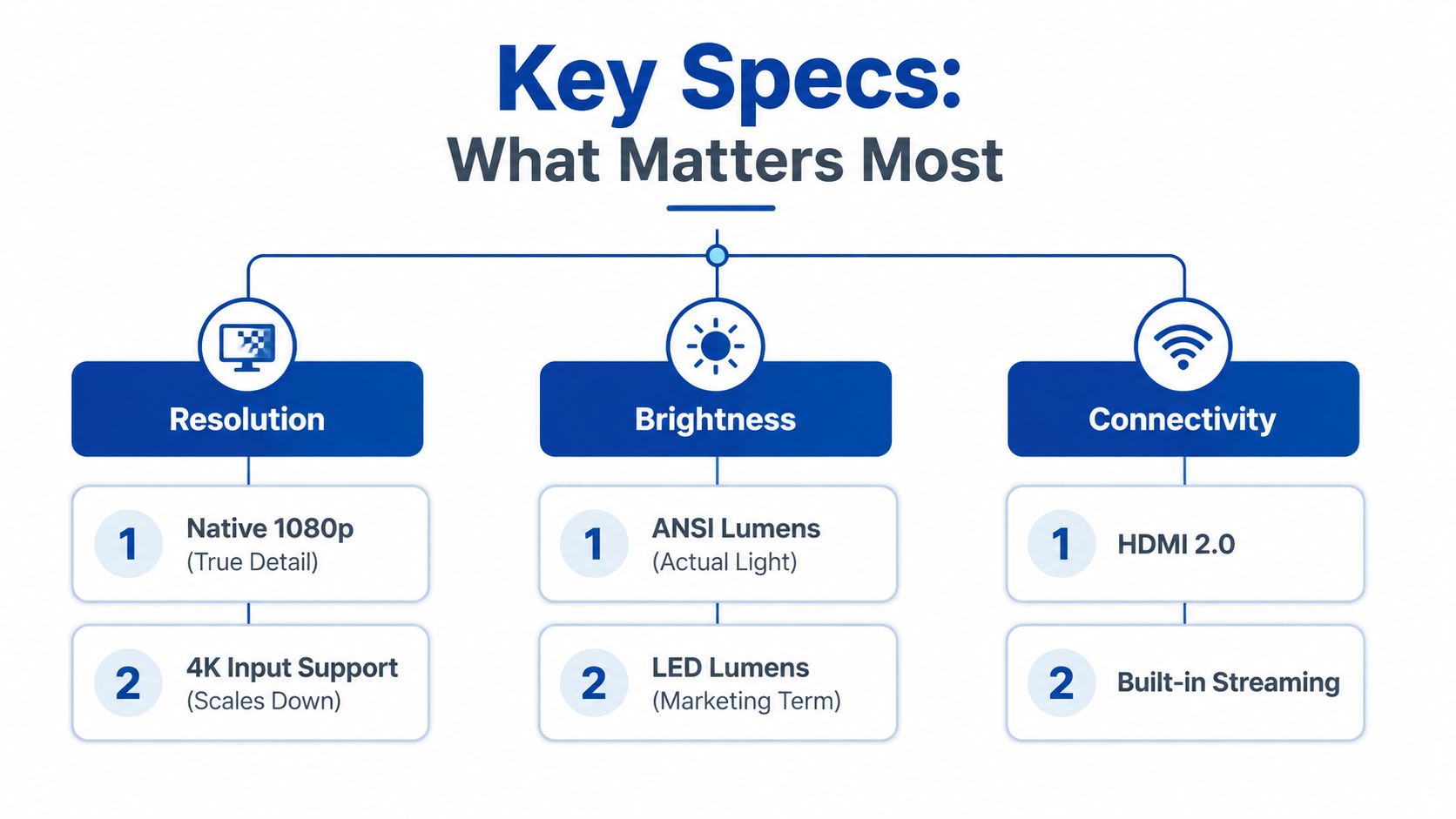
Specs sheets love to bury the useful stuff under marketing noise. I ignore most of it and look for four things first, native resolution, ANSI lumens, throw ratio, and input lag. If a projector can't pass those checks, it doesn't matter how slick the product page looks.
Read the resolution line first
Native 1080p means the projector's actual imaging resolution is Full HD. That's the detail level I'd want before I spent real money, because it keeps text, sports graphics, and game menus from looking soft. “Supports 4K input” is not the same thing as native 4K, it just means the projector can accept a 4K signal and scale it down.
Trust ANSI lumens, not vague brightness claims
ANSI lumens are the brightness figure that matters in real rooms. The clearest rule in the current under-$500 market is that 2,000 to 2,500 ANSI lumens works for dark viewing, while 3,000+ lumens is the better target once ambient light enters the room, according to ProjectorVerdict. That's why numbers like 3,600 lumens on the Optoma HD146X and 4,000 lumens on the Epson Home Cinema 980 stand out so sharply in this bracket ProjectorVerdict. Brightness is what keeps the image from washing out.
Don't ignore throw ratio and lag
Throw ratio decides whether the projector can fill your wall from the spot where your table, shelf, or ceiling mount lives. If the ratio is wrong, the image won't fit your room, no matter how good the projector is on paper.
Input lag matters most for gaming. If you play on a console, this is the spec that separates a clean, responsive session from a sluggish one. RTINGS now treats gaming response as a meaningful part of the under-$500 conversation, which is exactly how buyers should think about it RTINGS.
A projector with decent brightness and bad placement is still a bad projector. Room fit beats spec-sheet bragging every time.
For readers who want to compare brightness behavior more closely, the practical differences are easier to understand when you look at daylight use. This guide to comparing lumen brightness for daytime projector use is the right place to sanity-check how much light control you really have.
Matching the Projector to Your Room
The right pick changes fast once you stop asking, “What's best overall?” and start asking, “What's best in my room?” A dim bedroom, a bright living room, a gaming desk, and a backyard party all demand different trade-offs. The best projectors under 500 are not one-size-fits-all, and pretending they are leads to bad buys.
| Room Type | Recommended Pick | Why It Fits |
|---|---|---|
| Dark-room cinema | NexiGo PJ40 (Gen 3) | RTINGS names it their best dark-room pick under $500, which is the right call when light control is good. RTINGS |
| Bright living room | Epson EpiqVision Flex CO-W01 | RTINGS calls it the best bright-room projector under $500, so it's the safer room-fighting choice. RTINGS |
| Gaming den | Optoma HD146X | 3,600 ANSI lumens and a sub-$500 street price make it a strong fit for a desk or console setup with some ambient light. ProjectorVerdict |
| Portable backyard setup | Anker Nebula Capsule 3 Fusion | 1080p, 1200 lumens, auto-focus, and a 2.8-pound body make portability the point. Keptlist |
Dark-room cinema versus bright-room reality
If you're closing curtains and chasing movie-night contrast, the NexiGo PJ40 (Gen 3) makes sense because RTINGS specifically picked it for dark-room use RTINGS. If your living room has windows, you need a different mindset. The Epson EpiqVision Flex CO-W01 is the better fit because bright-room performance is the job, not an afterthought RTINGS.
Gaming desk and party setup are different animals
A gaming den benefits from brightness and quick response, which is why the Optoma HD146X stands out at 3,600 ANSI lumens and about $499 street pricing in ProjectorVerdict's 2026 roundup ProjectorVerdict. For a backyard movie or dorm-room carry-around, the Anker Nebula Capsule 3 Fusion is the cleaner answer because the whole device is built around setup convenience and light weight Keptlist.
Room rule: if the projector will move more than it stays put, prioritize auto-focus and portability. If it'll live on a shelf, prioritize brightness and input handling.
For sizing the image correctly before you buy, this projector screen sizing guide is the right mental check. A great projector still looks bad when it's fighting the wrong wall.
Standout Picks Worth Your Money

Optoma HD146X
This is the model I'd point to if someone wants a bright living-room or casual gaming projector and doesn't want to baby the room lighting. ProjectorVerdict lists it at 3,600 ANSI lumens with street pricing around $499, and that combination is exactly why it keeps showing up in under-$500 conversations ProjectorVerdict. It's not trying to be cute or ultraportable, it's trying to make a usable image in real-world light.
Buy it if you want a projector that can survive a not-perfect room. Skip it if you need something tiny enough to carry in one hand.
NexiGo PJ40 (Gen 3)
RTINGS names this its best dark-room pick under $500, which tells you what it does well RTINGS. I'd use it in a bedroom or dedicated movie corner where the curtains close and you care more about the image looking composed than about overpowering daylight.
Buy it if your room gets dark. Skip it if your windows stay open and the sun stays aggressive.
Epson EpiqVision Flex CO-W01
This is the sensible bright-room choice. RTINGS calls it the best bright-room projector under $500, and that's the kind of recommendation you pay attention to when you've seen too many projectors flatten out the moment a lamp comes on RTINGS. If your apartment doubles as your office, this is the safer bet than a darker-room model.
Buy it if you need a usable image in mixed light. Skip it if you want a tiny travel projector.
Anker Nebula Capsule 3 Fusion
For portability, this is the one that makes sense. It gives you 1080p resolution, 1200 lumens brightness, dual Wi‑Fi and HDMI inputs, auto-focus, a 2.8-pound body, and a quoted 40,000-hour lamp lifespan Keptlist. That's a practical bundle for apartments, dorms, and quick outdoor setups where convenience matters more than max brightness.
Buy it if you care about moving it often. Skip it if your room is bright and you want the biggest possible image punch.
For a broader look at compact projector options, this portable mini projector guide gives you a useful comparison frame.
Setting Up Your Projector Without Losing a Weekend
Most first-time buyers waste time trying to fix placement problems with settings. Don't do that. Move the projector first, then use keystone correction only as a cleanup tool, not as your main strategy.
Placement beats menu fiddling
A projector should sit square to the wall whenever possible. If the image is trapezoid-shaped, you're already fixing a physical problem in software. That's why I'd rather slide a table six inches than dig through correction menus for ten minutes.
Light control is cheap if you stay practical
You don't need blackout curtains to improve the picture. Close blinds, dim lamps behind the seating area, and avoid pointing the projector toward a window line. If your wall is the only option, make it as flat and neutral as you can before touching the image settings.
Fifteen-minute setup checklist
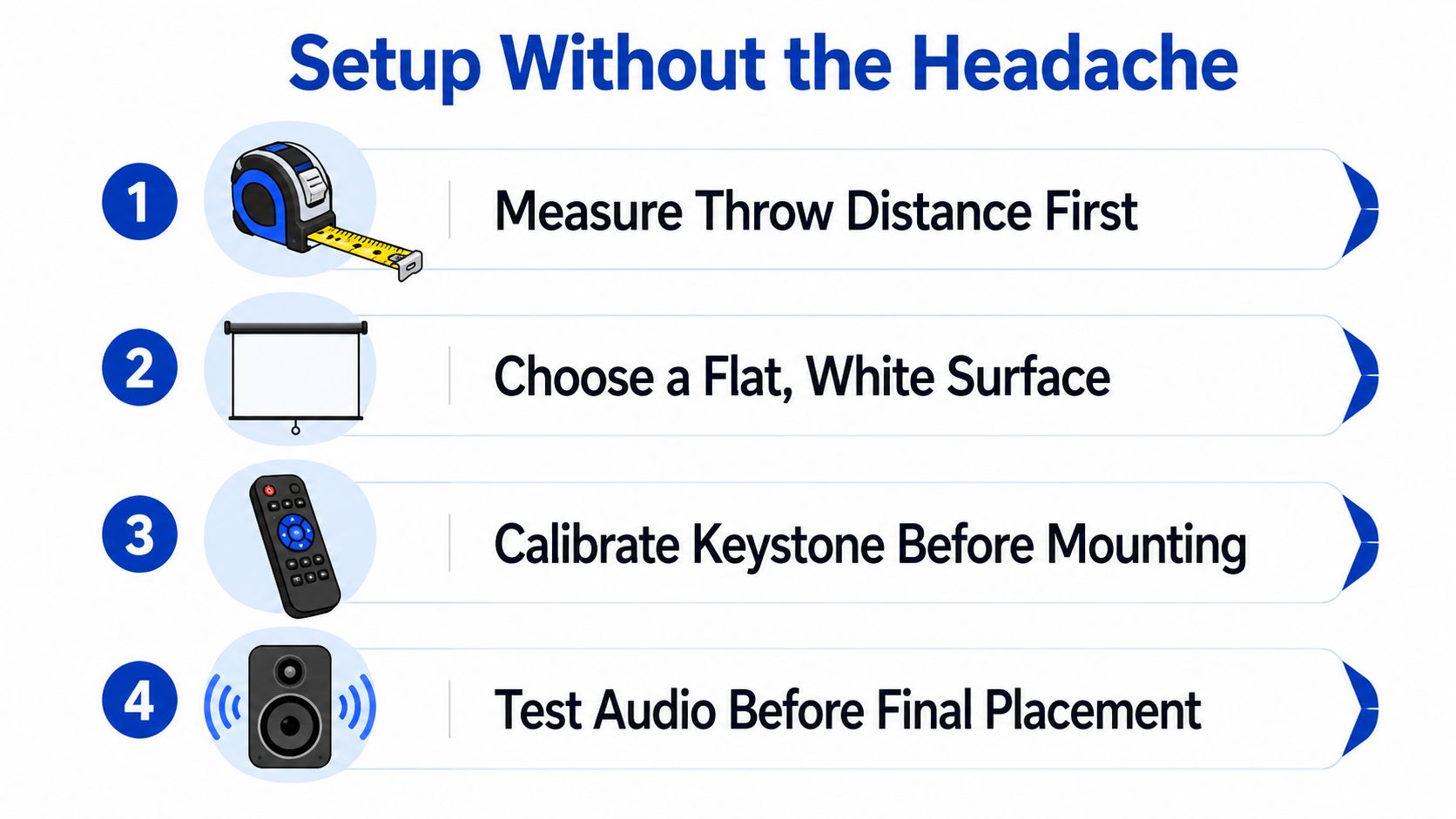
- Measure throw distance first.
- Choose a flat, white surface.
- Calibrate keystone before mounting.
- Test audio before final placement.
Don't mount a projector until you know the image fits the wall from the real viewing spot. That saves more frustration than any “smart” feature.
For readers planning a bedroom setup, this guide to building a 100-inch cinema in a bedroom is a useful reference point.
Keeping It Running for Years, Not Months
A projector lasts longer than people think, but only if you don't treat it like a box you forget in a closet. Dust is the enemy, vents clog first, and heat builds fast when airflow gets ignored. The fix is boring and effective, which is exactly what you want.
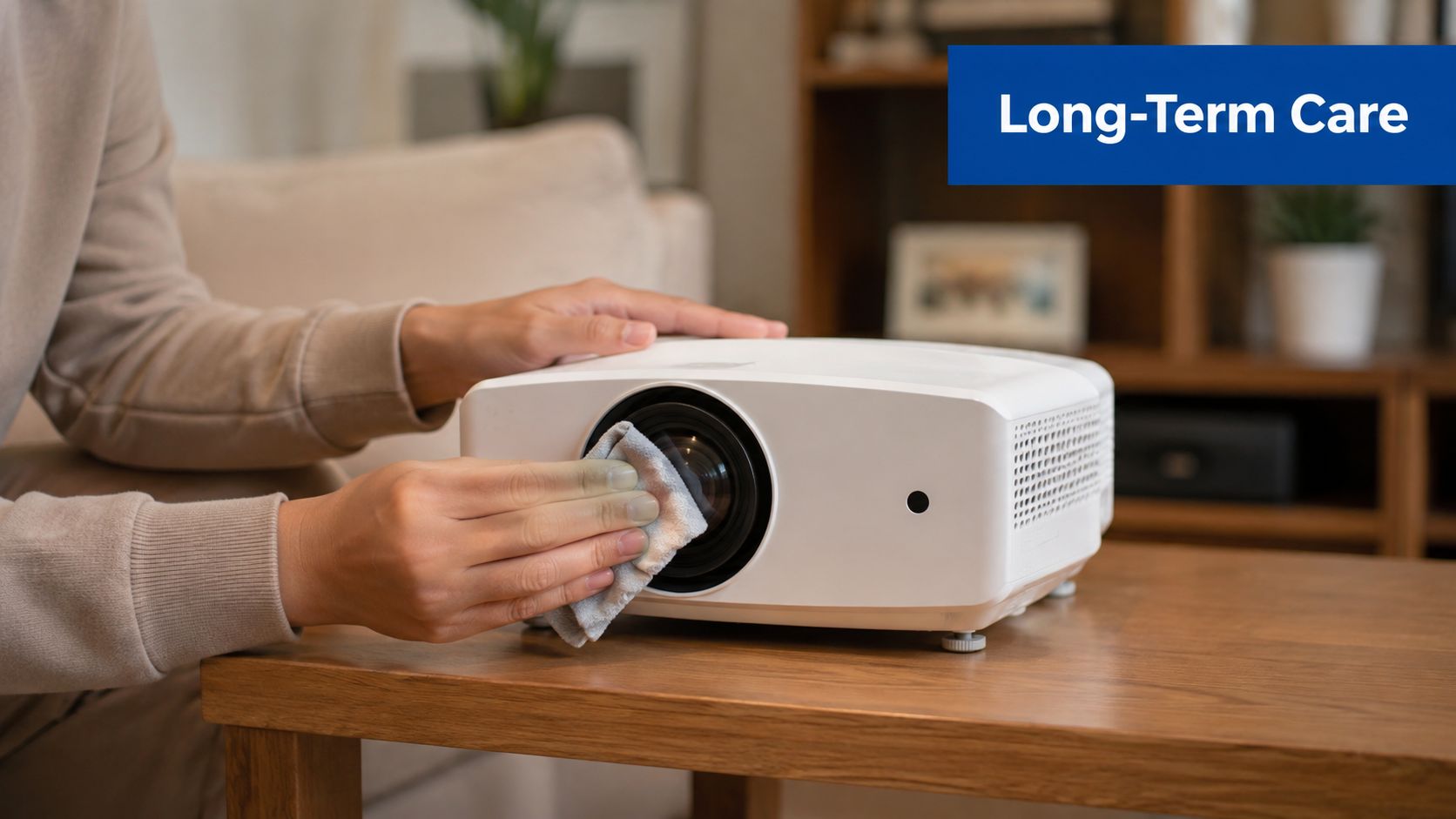
Five-minute monthly routine
- Wipe the lens gently: Use a microfiber cloth, not a shirt hem or tissue.
- Clear the vents: Blow out visible dust so the fan isn't choking.
- Check the firmware: Update only when the manufacturer posts a fix or compatibility improvement.
- Use eco mode when you can: Lower heat usually means less stress on the light source.
- Store it in open air: Don't seal it in a dusty closet between uses.
Lamp-based and LED projectors in this bracket can last a long time, but the easiest way to shorten that life is heat and dust. The quoted 40,000-hour lamp lifespan on the Anker Nebula Capsule 3 Fusion is a reminder that long life claims depend on sane use, not neglect Keptlist.
When to stop troubleshooting at home
If the image flickers, the fan gets unusually loud, or the projector starts shutting down for no obvious reason, stop improvising. That's a return or service conversation, not a YouTube rabbit hole. You should be cleaning and updating, not trying to nurse obvious hardware problems back to health.
For owners who also keep cables, mounts, and small accessories on hand, the portable projector accessory guide is a natural companion piece.
How to Pick the Right One and Avoid the Traps
The first trap is chasing “supports 4K” and ignoring native resolution. That spec sounds better than it is, and it's exactly how people end up with a soft-looking image that never feels sharp enough. Buy for native 1080p first, then consider input compatibility second.
The second trap is forgetting about gaming lag until the controller feels slow. That mistake turns a promising projector into a frustrating one fast. If the setup includes PS5, Xbox, or Switch time, make input lag part of the decision, not a post-purchase complaint.
The third trap is treating all bright rooms as equal. A sunlit living room and a room with curtains drawn are not the same problem, and they don't need the same projector. Bright-room models like the Epson EpiqVision Flex CO-W01 exist for a reason, while dark-room picks like the NexiGo PJ40 (Gen 3) shine when the lights are under control RTINGS.
A clean rule of thumb works better than a long checklist.
- If you watch in the dark, buy for contrast and native detail.
- If you watch in mixed light, buy for brightness first.
- If you game, don't ignore lag and ports.
- If you move it often, prioritize weight and auto-focus.
For a deeper browse of compact projector options that still fit this price band, it's worth checking carefully curated listings at DigiDevice, where the selection stays focused instead of overwhelming.
Buyer Questions Worth Answering Before You Click Buy
How long do projector lamps last in this price band? Long enough to matter if you keep the unit cool and dust-free. The answer is to buy a model you'll maintain, not one you'll forget in a corner.
Is ceiling mounting worth it for casual use? Not usually. For renters and casual movie nights, a table or shelf gives you flexibility, and it's easier to reposition when the room changes.
What if your living room has no good wall? Use a pull-down screen or pick a projector like the Anker Nebula Capsule 3 Fusion for easier temporary placement, then add the screen later if you like the setup enough to keep it Keptlist.
If you're ready to compare current options and sort through a focused range of home entertainment gear, visit DigiDevice and check the projector choices that fit your room, your light, and the way you watch. The right under-$500 projector should make movie night easier, not add another project to your weekend.