

X6 Game Console Guide: Specs, Setup, and Real-World Use
The popular advice around the X6 Game Console is wrong. Don't buy it because a listing screams 10,000+ games or 38 emulators, buy it only if you understand it as a budget retro handheld emulator with wildly inconsistent revisions and very modest hardware.
That's the whole game with the X6. In some units, you get a decent little retro box for NES, SNES, and Sega Genesis/Mega Drive. In others, you get a spec sheet fantasy with a screen, battery, and audio setup that feels closer to a disposable gadget than a polished handheld.
What the X6 Game Console Actually Is
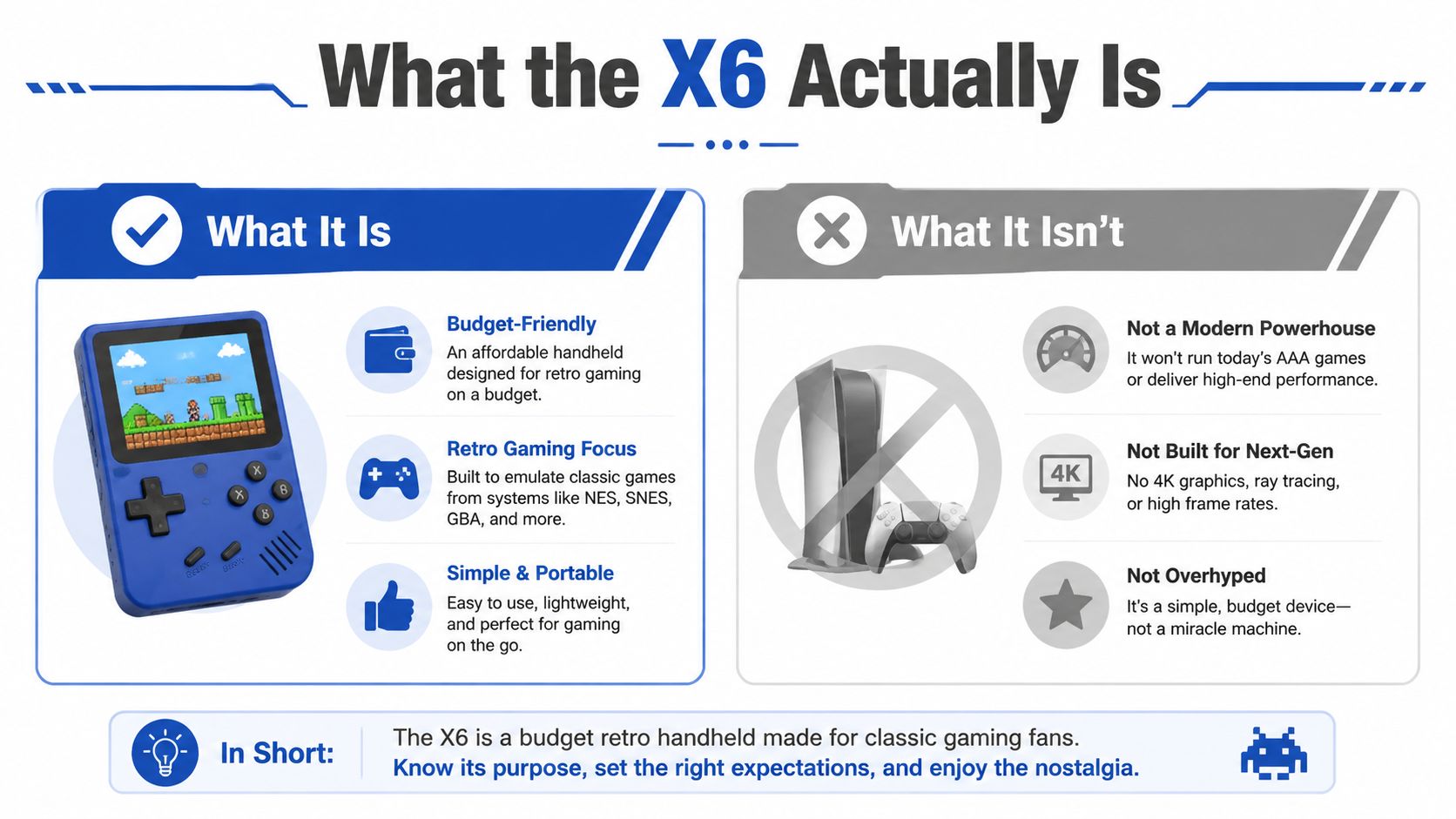
The X6 game console isn't a mainstream console in the way people use that word. It's a white-label retro handheld emulator sold through global marketplaces, and independent coverage describes it as a generic device built in China and resold under a shared model name, which is why one listing can look nothing like the unit that arrives.
That fragmentation matters more than the headline game count. One version may ship with a 3.5-inch IPS display, microSD-based storage, and a 2,000 mAh battery with battery life often reported around 3 to 5 hours or, in other listings, 6 to 8 hours electronics.alibaba.com question on real-world use. Another review mentions a 4.3-inch screen, 640×360 resolution, and support for media formats like MP3, WMA, WAV, AVI, MP4, and 3GP X6 guide on Alibaba Electronics.
What it is is a cheap retro portal for classic libraries. What it isn't is a single standardized product with predictable hardware, firmware, or seller honesty.
| Spec | Common Value | What It Means |
|---|---|---|
| Display | 3.5-inch | Small and portable, fine for retro sprites, not ideal for long sessions |
| Resolution | 640×480 or related variants | Good enough for classic systems, not a modern-looking panel |
| Battery | 2,000 mAh | Built for light portable play, not marathon sessions |
| Storage | microSD | Easy to swap, but also easy to get bad or fake cards |
| Emulator count | 11 emulators on some units | Enough for classic libraries, not a universal compatibility badge |
| Preloaded games | 5,000+ on some units | Big library claims are common, but quality matters more than raw count |
The cleanest way to think about the X6 is as a product family, not a single SKU. If a listing can't tell you the chip, screen resolution, and storage details, assume the seller is leaning on hype instead of consistency.
Full Specs and Performance Expectations
The X6 is a bargain handheld with a moving target inside. Independent review data points to an ATJ2273S 32-bit processor, a 3.5-inch 640×480 display, 32 GB microSD storage, 2 W mono sound, and a 2,000 mAh battery ITC.ua review. That spec mix puts it in the low-power retro emulation class, and that class comes with clear limits.
The first thing to understand is that the X6 is sold as a product family, not a cleanly standardized device. One batch may feel slightly different from the next, and the seller page often tells you less than it should. If a listing hides the chip, the screen details, or the storage setup, assume the hardware is being glossed over.
What the hardware is good at
The X6 makes the most sense with 8-bit and 16-bit libraries. NES, SNES, and Sega Genesis/Mega Drive are exactly the kind of systems these cheap handhelds are meant to handle, and the firmware-first design helps it stay usable even at this price point. Some documented units ship with an RTOS software stack, 11 emulators, and 5,000+ built-in games ITC.ua article.
That still does not make every preloaded title worthwhile. It means the device is built around fixed legacy libraries, not around flexible modern gaming or serious tinkering.
The screen and body also make sense for quick sessions. The panel is small, the enclosure is light, and the device feels like something you can toss into a bag without treating it like a premium handheld. One review lists the battery and body dimensions at 129×95×23 mm and 159 g Original Video Reviews, which matches the overall impression, a pocket toy that prioritizes portability over polish.
Where the spec sheet stops helping
The X6 falls apart as soon as buyers start expecting it to behave like a more capable retro handheld. PSP-style emulation is the wrong expectation, and later 3D systems are even less realistic. The chip ceiling is the chip ceiling, and the enclosure, battery, and firmware choices all reinforce that limit.
Here's the more useful question. Which systems do you want to play, and how much friction are you willing to tolerate? For a broader comparison across devices, the retro handheld category is a better starting point than any seller's game-count claim, and the same logic applies to connectivity expectations. If you are comparing wireless features on retro devices, Wi-Fi 7 vs Wi-Fi 6E: is the upgrade worth it for gaming? is useful only as a reminder that the X6 is not in that conversation at all.
A few listings also advertise up to 64 GB microSD expansion and TV-out/AV output Original Video Reviews. That matters because the X6 is often more tolerable on a television than in your hands, especially if you are using external display and controller support.
Practical rule: judge the X6 by the era it was built to replay, not the era it was marketed to imitate.
Who the X6 Game Console Is Really For
The X6 is for people who want a cheap retro toy that happens to be functional. That sounds dismissive, but it's the honest read, and it's the right way to avoid buyer remorse.
Good fit buyers
- Retro-curious adults: If you want to replay old Nintendo and Sega games without spending serious money, the X6 is enough.
- Parents buying a first handheld: It's simple, lightweight, and easy to hand to a child who just wants to poke around classic games.
- Gift shoppers: If the goal is novelty, nostalgia, and instant gratification, the X6 delivers that better than many generic gadgets.
- Travelers and throwaway-device buyers: If you want something you won't panic over losing or scratching, this kind of handheld fits the use case.
For families, the bigger issue isn't raw performance. It's how much time kids spend staring at a screen and how that fits into a household routine, which is why a broader read on how screens affect children's vision is a smarter companion piece than another hype review.
Who should skip it
If you care about reliable PSP or N64 emulation, skip the X6. If you're picky about build quality, skip it. If you need a standard 3.5 mm headphone jack, skip it. If you expect polished controller support, skip it.
That last point matters. Some X6 units have a 2.5 mm headphone jack instead of 3.5 mm, only one speaker, poor viewing angles, and minor software bugs, which turns a cheap purchase into a compatibility hunt Microless product coverage.
If you're torn between this and a Miyoo Mini, Anbernic, or a used PSP, I'd spend more unless the X6 is impulse-buy cheap. Better build quality matters more than a giant preloaded number when you're holding the thing.
First-Time Setup and Daily Optimization
Start with the storage, not the games. Cheap handhelds rise or fall on the quality of the included microSD card, and a bad card shows up fast as slow boots, random freezes, or menus that behave differently every time you turn the unit on.
First-hour setup
- Charge it fully first. The X6 uses USB-C charging on documented units, so plug it into a known-good cable and charger before doing anything else.
- Check the menu language and firmware behavior. If the menus look different from the listing photos, you probably got a different revision.
- Adjust brightness early. Battery life changes a lot with backlight level, and the difference between an overbright screen and a sensible one is obvious in the first session.
- Test save states before you trust the device. A retro handheld is only useful if it reliably remembers where you left off.
- Confirm the audio jack before buying extra earbuds. Some units use a 2.5 mm headphone jack, so standard earbuds may not fit.
The X6 is often easier to live with on a TV than in your hands. If your unit supports AV-out, use it for couch play and read the AV cable guide for PS3 context before you buy a cable, because the wrong connector turns a simple setup into a compatibility mess.
A ten-minute setup pass saves you from blaming the console for problems caused by the card, cable, or brightness setting.
What to optimize immediately
- Brightness: Lower it if you want longer battery life.
- Volume mode: Use the built-in speaker only for quick checks, because the mono output is never the best part of the device.
- Storage handling: Eject the microSD cleanly on a computer, don't yank it.
- ROM loading: Keep the firmware folder structure intact if you add games, or you'll create avoidable boot issues.
If you want the X6 to feel less cramped, start with the screen and audio, not decorative accessories. A better panel matters more than a random upgrade, and it is smarter to find your ideal gaming monitor than to assume any display will do.
A compatible headset helps too. The built-in audio is basic, so a proper pair of headphones or a low-latency wireless setup makes TV-out and longer sessions easier to live with, especially once you stop fighting the device's rougher edges.
Accessories, Displays, and Audio That Help
The X6 gets better when you stop treating it like a standalone premium handheld. It is a budget emulator box, so the smart money goes into the parts that remove friction, not into decorative junk that looks good in a listing photo.
Start with the screen, because that is where cheap handhelds show their limits fast. If your unit supports TV-out, use it with a small monitor or projector for couch play. A better external screen makes the X6 feel less cramped, and if you are comparing panels, it is smarter to find your ideal gaming monitor than to assume any random display will do. For a living-room setup, a unit from the compact projector category can make more sense than another plastic accessory that does nothing for comfort.
Audio is the next weak point. The built-in 2 W mono speaker is fine for menus and quick checks, but it does not make the X6 feel rich or immersive. If your unit uses a 2.5 mm jack, buy the correct adapter or cable. Forcing standard earbuds into the port is how people end up thinking the speaker or headphone circuit is broken when the problem is the connector mismatch. A proper headset helps more than a flashy accessory, especially if you want to keep playing without blasting a room.
Power is simpler than sellers make it sound. A normal USB-C charging setup is enough for a 2,000 mAh battery, so there is no reason to get dramatic about the charger. Use a clean, well-made cable and a sensible wall brick. Cheap handhelds get blamed for dead batteries and unstable charging when the actual problem is a bad cable or weak power delivery.
If you are building a full retro setup, pick the boring items first. A decent GaN charger, a display that does not strain your eyes after a short session, and a headset that fits the port on your unit will do more than a bag of cosmetic extras. The low-latency wireless headset guide is the kind of reference that helps if you want cleaner sound without adding cable clutter.
A lot of people buy the X6 for a child or a travel bag, then get annoyed when the built-in speaker sounds thin and the viewing angles feel restrictive. They spend more time fighting the hardware than playing, which is exactly why the right accessories matter.
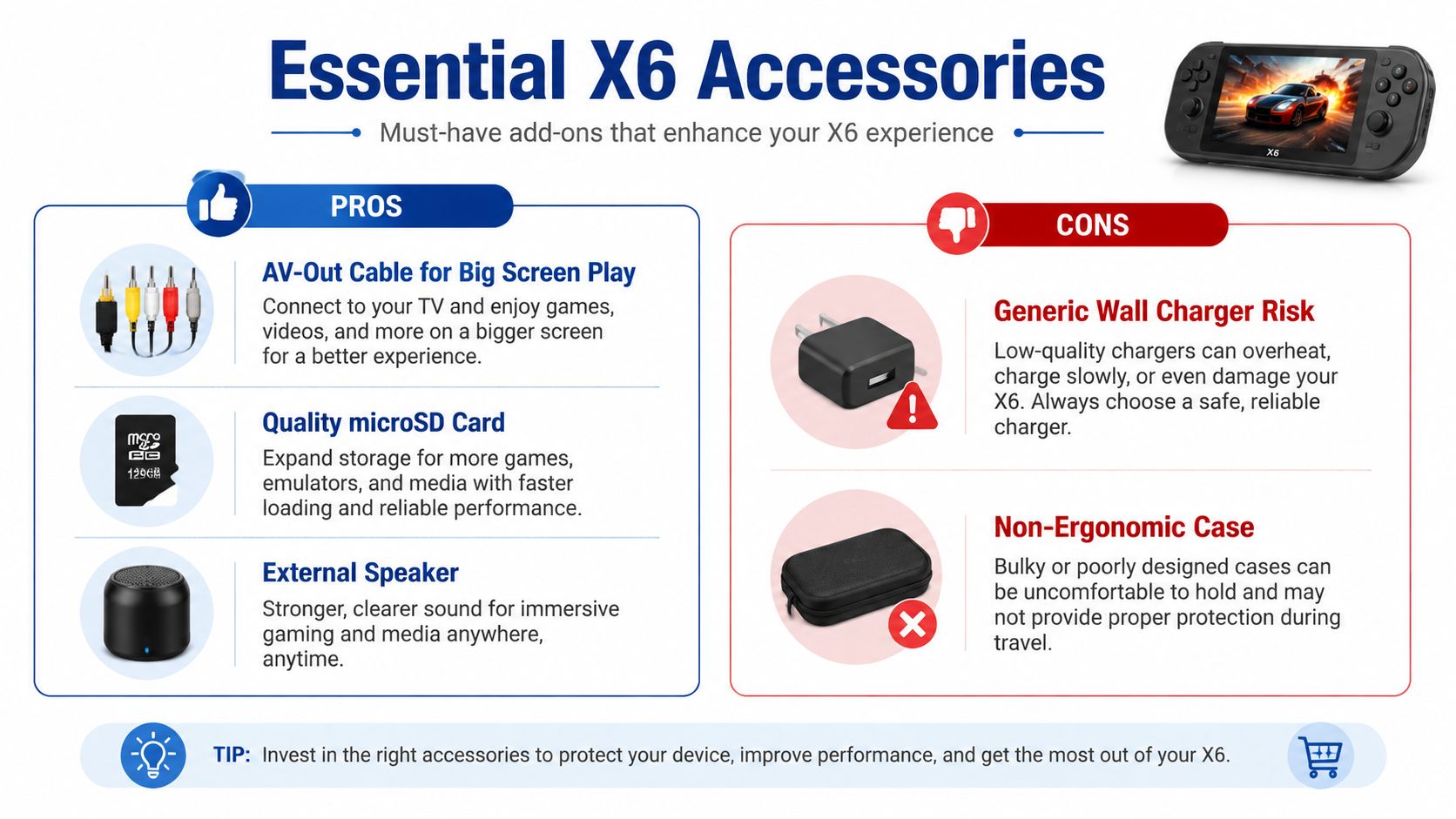
- AV-Out Cable for Big Screen Play: Best if you want the handheld to act like a tiny living-room console.
- Quality microSD Card: Best if you want fewer boot issues and less weird behavior.
- External Speaker: Best if you want cleaner sound than the tiny mono driver can deliver.
- Generic Wall Charger Risk: Cheap charging bricks are where a lot of frustration starts.
- Non-Ergonomic Case: If it makes the already small device harder to hold, skip it.
For people building a broader retro or living-room setup, a compact projector category makes more sense than chasing another plastic accessory that adds zero value.
Common Problems and How to Fix Them
Most X6 problems look like console problems, but they usually start with the card, cable, or port. That's good news, because it means the fix is often cheap and immediate.
Start with the simplest fault
- Black screen on boot: Reseat the microSD card first. A loose, bad, or counterfeit card is the most likely cause before you blame the handheld itself.
- Charging failure: Swap the cable and charger before anything else. A weak USB-C cable or underpowered brick can make the X6 look dead when it isn't.
- Controller drift or odd d-pad input: Test whether the issue is the stick, the firmware, or just dirt in the control area. On cheap handhelds, physical wear and sloppy calibration show up fast.
- Audio cutting out on one side: Check the jack fit and volume settings. If your unit has the non-standard 2.5 mm port, a loose connection can masquerade as a speaker fault.
- AV-out drops when battery is low: Recharge first. Low battery can make the external display signal unstable on some units.
Best first move: swap the accessory before you open the console, because most of these failures are external, not structural.
A lot of buyers try to diagnose these issues with guesswork, then end up replacing the wrong part. If you want to go deeper, a diagnostic tool like the mobile phone mainboard instrument category at DigiDevice is the sort of thing hobbyists use when they want to separate a bad cable from a bad board.
What not to do
Don't keep rebooting a unit with a bad card and assume patience will fix it. Don't force a connector that clearly doesn't fit. Don't chase firmware magic when the symptom is obviously power-related.
If the X6 still fails after a known-good cable, a known-good card, and a proper charge, then you've probably got a real hardware issue. At that point, replacement or refund is the sensible move, not more tinkering.
Buying Smart, Warranty, and Final Verdict
Buy the X6 like you're buying a marketplace gadget, not a branded console. Good listings name the ATJ2273S chip, the actual screen resolution, and the storage size, and they show real photos of the unit instead of lazy stock renders.
Red flags worth walking away from
- Vague giant game counts: Claims like 20,000 games mean almost nothing if the seller won't identify the hardware.
- No storage details: If a listing skips the microSD size, that's a bad sign.
- Too-cheap pricing: If the deal looks impossible, the revision usually is too.
- Spec soup: Phrases like “HD PSP-style” without chip details are marketing fog, not useful information.
There's a real difference between a $10 novelty and a device you'll use regularly. If your budget can stretch a little, a more proven retro handheld is usually the smarter long-term buy, especially if build quality and predictable controls matter to you.
A wider look at accessory bundles and living-room setups can help too, especially if you're deciding whether the X6 should stay handheld or become part of a TV-based retro corner. A general 4K TV box guide is useful context if you're building around a screen instead of around the console itself.
One more practical point. Marketplace warranty support is only as good as the seller's return policy, so don't assume a random listing will save you if the wrong revision arrives. If the seller won't answer basic questions before purchase, they're not going to be better after purchase.
For people comparing tools and tech purchases, even a guide like the Taja AI thumbnail maker for Minecraft shows the same principle. Clear presentation, real use-case fit, and honest expectations always beat vague hype.
DigiDevice carries the kinds of accessories that make a budget retro setup less annoying, from chargers and audio gear to display options and practical mobile accessories. If you're buying an X6 game console or trying to make one usable on day one, visit DigiDevice and build the setup around the way you'll play.