

Quick Phone Charger for Car That Actually Charges Fast
Your phone is at 18%, navigation is running, music is streaming, and you've got a short drive before the next stop. You plug into the car, glance down twenty minutes later, and the battery barely moved. That's usually the moment people decide they need a more powerful charger.
In our testing, that's only part of the story. A quick phone charger for car use is a system, not a single accessory. The phone has its own charging ceiling, the charger has to speak the right standard, and the cable has to carry that power without wasting too much of it as heat.
A lot of shoppers get trapped by one big number on the box. They buy a charger with a high wattage rating, keep using an old cable, plug in a phone that doesn't ask for that much power, and then wonder why nothing feels faster. That mismatch is common in real cars because cabin heat, shaky sockets, shared ports, and cable quality all affect what happens after you plug in.
What we noticed across different vehicles is simple. The fastest setup isn't always the charger with the biggest headline. It's the setup where phone ceiling, cable rating, and port negotiation all line up.
Direct answer: For most phones, a car charger that supports USB-C Power Delivery and can deliver around 20 to 30W is the realistic sweet spot, while higher wattage is more useful for multiple devices or laptop-capable charging according to this fast car charger guide and this USB-C car charger explainer. If charging still feels slow, the bottleneck is often the cable, port negotiation, or heat rather than the charger's advertised maximum.
Updated for September 2026.
Introduction Why Your Car Charger Feels Slow
A slow car charge usually shows up on short drives. You leave home with low battery, plug into the socket, run maps and wireless data, then arrive with only a tiny gain. It feels like the charger failed, but what's happening is that your phone may be using power almost as fast as it's receiving it.
That's why a basic plug can feel fine when the screen is off, then feel weak the moment navigation, brightness, and background syncing kick in. In one car, a charger can look “fast” on paper and still underperform because the cable is thin, the port is shared, or the phone falls back to a slower charging mode.
Speed is a chain, not a number
Think of in-car charging like filling a water bottle through three connected parts:
- The outlet adapter decides how much power is available
- The cable determines how much reaches the phone cleanly
- The phone decides what it will accept
If one part is limited, the whole chain slows down.
That's also why old habits from the USB-A era still confuse people. Many drivers are used to seeing a USB port and assuming all ports work roughly the same. They don't. The jump from older fixed-output charging to modern negotiated charging changed how speed works in the car.
What usually causes the frustration
In our testing, these are the reasons people most often think they bought the wrong charger:
- Old cable reuse: A new adapter paired with an aging cable often behaves like the old setup.
- Shared wattage assumptions: Multi-port chargers can divide output between devices.
- Phone ceiling mismatch: Some phones won't take laptop-class power.
- Heat buildup: A hot dashboard and a hot phone can slow charging to protect the battery.
A car charger can be perfectly capable and still feel slow if the phone is navigating, mounted in sunlight, and connected through a weak cable.
If you sort those parts in the right order, buying gets easier. You don't need to memorize every charging acronym. You just need to know which labels matter, when higher wattage helps, and where the bottleneck usually hides.
How Fast Charging Standards Actually Work
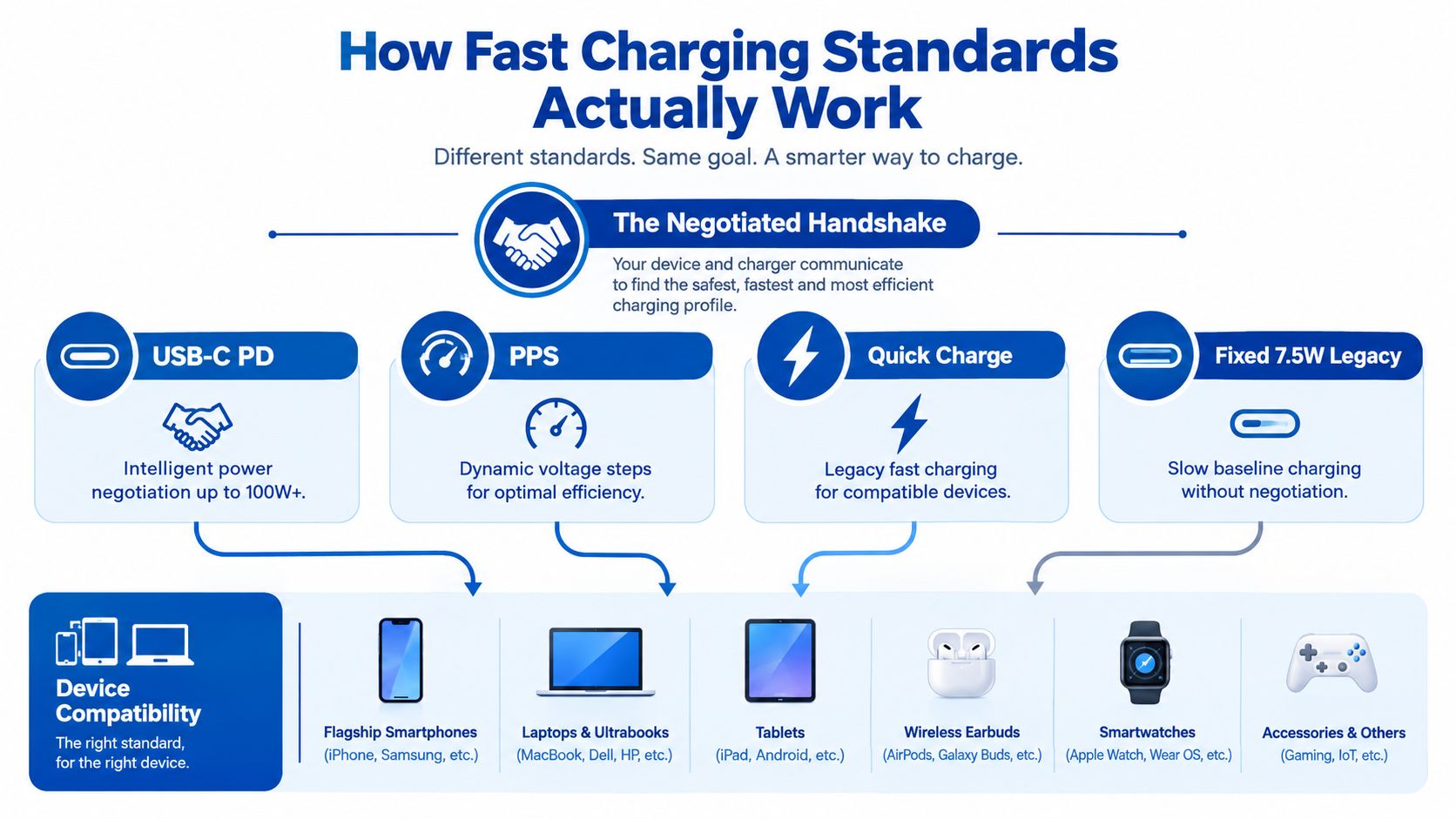
Fast charging in a car starts with a short handshake. You plug in the phone, the charger offers a few power options, and the phone accepts one it knows how to use safely. If that handshake stays at a basic level, charging feels ordinary even with a charger that looks powerful on the box.
From fixed output to negotiated charging
Older USB-A ports usually worked like a wall tap with one pressure setting. Texas Instruments contrasts that older USB Standard-A approach at 7.5W (5V, 1.5A) with modern USB-C power systems that can scale much higher under the standard, as explained in Texas Instruments' technical comparison.
USB-C changed the process. A PD charger does not shove maximum power into the phone. It offers supported voltage and current profiles. The phone then requests one it can handle. That is why two phones plugged into the same 30W car charger can charge at different speeds.
This is the part many drivers miss. The charger rating is only the supply ceiling. Real speed depends on the phone's own ceiling, the cable's ability to carry the requested power, and whether charger and phone speak the same charging language.
What PD, PPS, and Quick Charge actually mean
USB Power Delivery, or PD, is the standard that made USB-C car charging far more predictable across different brands. Richtek explains that USB PD 3.1, announced in 2021, raised the ceiling from 100W to as much as 240W over a full-featured USB-C cable and connector. It also outlines the common fixed steps used by earlier PD modes in its USB PD overview.
For phones, that giant 240W headline matters less than shoppers expect. In real cars, many phones top out well below laptop-class power. A good 20W to 30W USB-C PD charger is already enough to hit the fast-charge ceiling for a large share of iPhones and many Android phones, assuming the cable and thermal conditions cooperate. Higher wattage helps more when you are charging a tablet, a power bank, a USB-C laptop, or two devices at once on a shared adapter.
PPS, short for Programmable Power Supply, adds finer control. Instead of jumping only between fixed voltage steps, the charger can adjust more gradually if the phone supports it. In use, that can help some Android phones charge faster and with less wasted heat.
Quick Charge still appears on many car chargers, especially on USB-A ports and mixed USB-A plus USB-C models. It can work well with compatible phones, but PD has become the safer default if you want broad compatibility across newer devices.
To see the handshake idea visually, this short explainer does a good job:
How to read the label without overthinking it
I check charger labels in this order:
-
Look for a USB-C port first
That is usually where modern fast charging happens. -
Check for PD or PD/PPS
Those labels tell you the charger can negotiate power instead of staying at a basic fallback mode. -
Match the charger to the phone, not to the biggest number on the package
A 65W charger is not automatically faster for a phone that peaks around 27W. -
Treat the cable as part of the charging standard
A weak or older cable can force the whole setup to drop to a lower mode. If you need help sorting cable labels, this USB-C cable fast charging guide gives a clear breakdown.
Practical rule: Fast charging is a system. The phone must support the standard, the charger must offer it, and the cable must carry it reliably.
Vehicle Power Limits and Adapter Types Explained
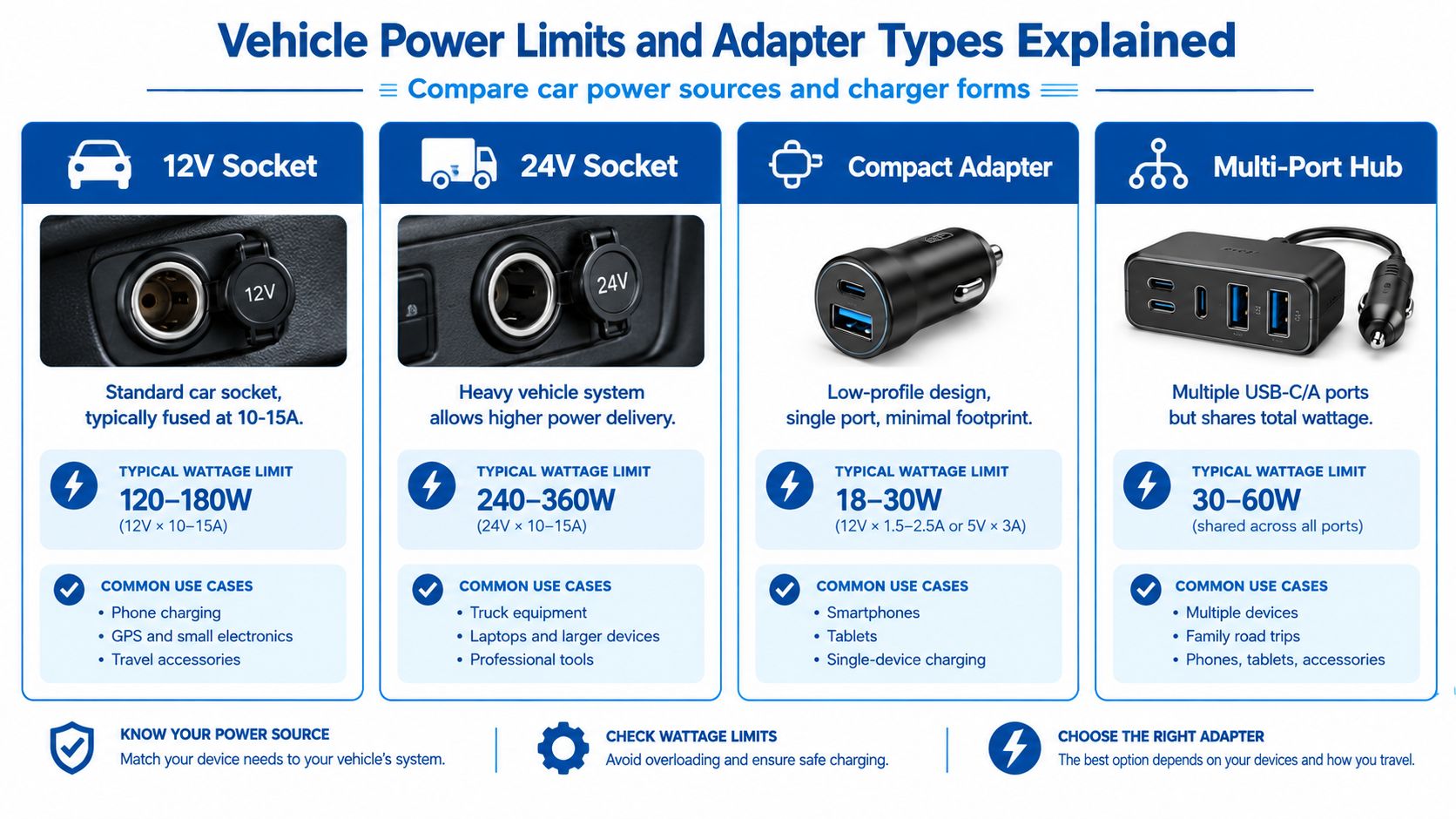
A car charger doesn't pull power from nowhere. It's working from the vehicle's socket, and that matters more than many spec sheets make it seem.
Your socket sets the starting point
Most drivers use a vehicle power socket that the charger converts into USB power. Some chargers are built for a 12V to 24V DC input range, which is common on products meant to work in both standard cars and larger vehicles. One example is this 77W dual-port car charger product listing that can allocate up to 30W per USB-C port and 12W per USB-A port, while accepting a 12V to 24V DC input range according to this product specification.
That kind of listing is helpful because it shows two things shoppers often miss:
- Maximum output is shared logic, not magic
- Per-port limits matter as much as total wattage
A charger can advertise a big total number and still cap each port lower than you expect.
Adapter shapes change the trade-off
In our testing, form factor changes usability almost as much as wattage. A tiny single-port charger keeps the console clean and usually runs one phone well. A dual USB-C model is easier for couples, ride-share drivers, or anyone carrying a tablet and phone together.
Here's the practical breakdown:
-
Compact single-port adapter
Best for drivers who only charge one main phone and want a flush fit. -
Dual USB-C PD charger
Better for newer devices that both prefer USB-C negotiated charging. -
Mixed USB-C plus USB-A charger
Useful if you still carry an older cable, dash cam accessory, or backup device. -
Multi-port hub-style adapter
Good for families, but you need to read the per-port output details carefully.
Heat and efficiency matter in small cabins
The car is a rough charging environment. Tight plastic trim, direct sun, and shallow sockets can all trap heat. That's one reason shoppers look at GaN designs for multi-port charging. The appeal isn't just size. It's cleaner packaging and, in many cases, better thermal behavior for higher-output adapters.
If you want a broader breakdown of form factors, DigiDevice's guide to charger adapter types is a solid comparison point.
Bigger wattage only helps if the adapter can distribute it sensibly and stay cool in the socket you actually use.
Compatibility Checklist That Determines Real Speed
A car charger feels slow for three common reasons. The phone has its own charging ceiling. The cable wastes part of the power before it reaches the phone. The port and the phone fail to agree on the same fast-charging standard.
That is why box wattage can mislead you. Charging speed works like water through a short plumbing run. The source matters, but so do the pipe width and the valve at the end. If one part of the chain is narrow, the whole system slows down.
Check the phone ceiling first
Start with the phone, not the charger.
Many newer phones reach their practical wired fast-charging range with about 20W to 30W from the right USB-C PD connection, as noted earlier in the article. Past that point, a higher-rated adapter often gives you headroom, not a dramatic jump in speed. In real cars, that extra headroom helps more when a second device is plugged in, or when you want one charger that can also handle a tablet.
Phone brands also use different charging languages. Some rely on USB-C Power Delivery. Some support PPS within USB PD. Some reserve top speed for their own brand-specific mode. If the charger and phone do not speak the same language, they fall back to a slower one even if the wattage on the label looks generous.
Then check the cable
Cables decide more than many drivers expect.
For higher-power USB-C charging, cable limits matter. Texas Instruments explains that standard USB-C cables can handle up to 20V at 3A, while 5A and 100W setups require an e-marked cable in its discussion of USB-C cable loss and power delivery behavior. The same paper shows how cable resistance can create enough voltage drop to interfere with fast charging.
In plain terms, a weak cable acts like a skinny extension cord. The charger may be capable, the phone may be ready, but too much gets lost along the way. In testing, this shows up most often with old USB-A to USB-C cables, bargain cables with thin wire, or extra-long cables bundled into the console.
Match the setup, not just the wattage
Use this checklist like a fit test.
| Phone Scenario | Recommended Charger Wattage | Cable Requirement | Why This Match Works |
|---|---|---|---|
| Typical modern phone used alone | 20W to 30W | Short, good-quality USB-C cable | This usually matches the real charging ceiling of the phone more closely than oversized wattage claims |
| Modern phone plus a second device | 30W or more total output | Quality cable on the main phone port | Extra power helps once the charger has to divide output across ports |
| Phone with higher-power charging support | Match the phone's supported charging standard and upper range | Certified USB-C cable. For higher-power setups, a 5A e-marked cable may be required | The phone only charges fast when the charger, cable, and protocol all line up |
| Laptop-capable travel setup in the car | 45W or more, depending on the device mix | 5A e-marked USB-C cable | Higher wattage matters more for tablets and laptops than it does for one phone |
This is the part shoppers often miss. A 100W charger is not automatically faster for one phone than a good 30W PD charger. It becomes more useful when you are splitting power across several ports, charging larger devices, or buying one adapter for different passengers and gear.
A quick self-audit before you buy
Check these four points before replacing the charger:
- Phone support: Look up whether your phone expects USB-C PD, PPS, or a brand-specific fast-charge mode.
- Cable quality: Try a short, newer cable before blaming the adapter.
- Port choice: Use the USB-C port labeled for PD for your main phone whenever possible.
- Real use case: One phone needs less headroom than a phone plus tablet, dash cam, or passenger device.
If you want to see what a high-output multi-device option looks like, DigiDevice lists a 100W 6-port car charger with PD and QC3.0 for phones and mixed-device charging. The useful question is not whether one phone needs 100W. It is whether your charging setup includes enough devices to make that extra capacity worth carrying.
Installation and Usage Tips to Maximize Charge Speed
A good charger can still underperform if it's installed poorly or used in a hot, cluttered setup. In our testing, the biggest gains often came from fixing the cable path and keeping the adapter cooler.
Small physical details make a big difference
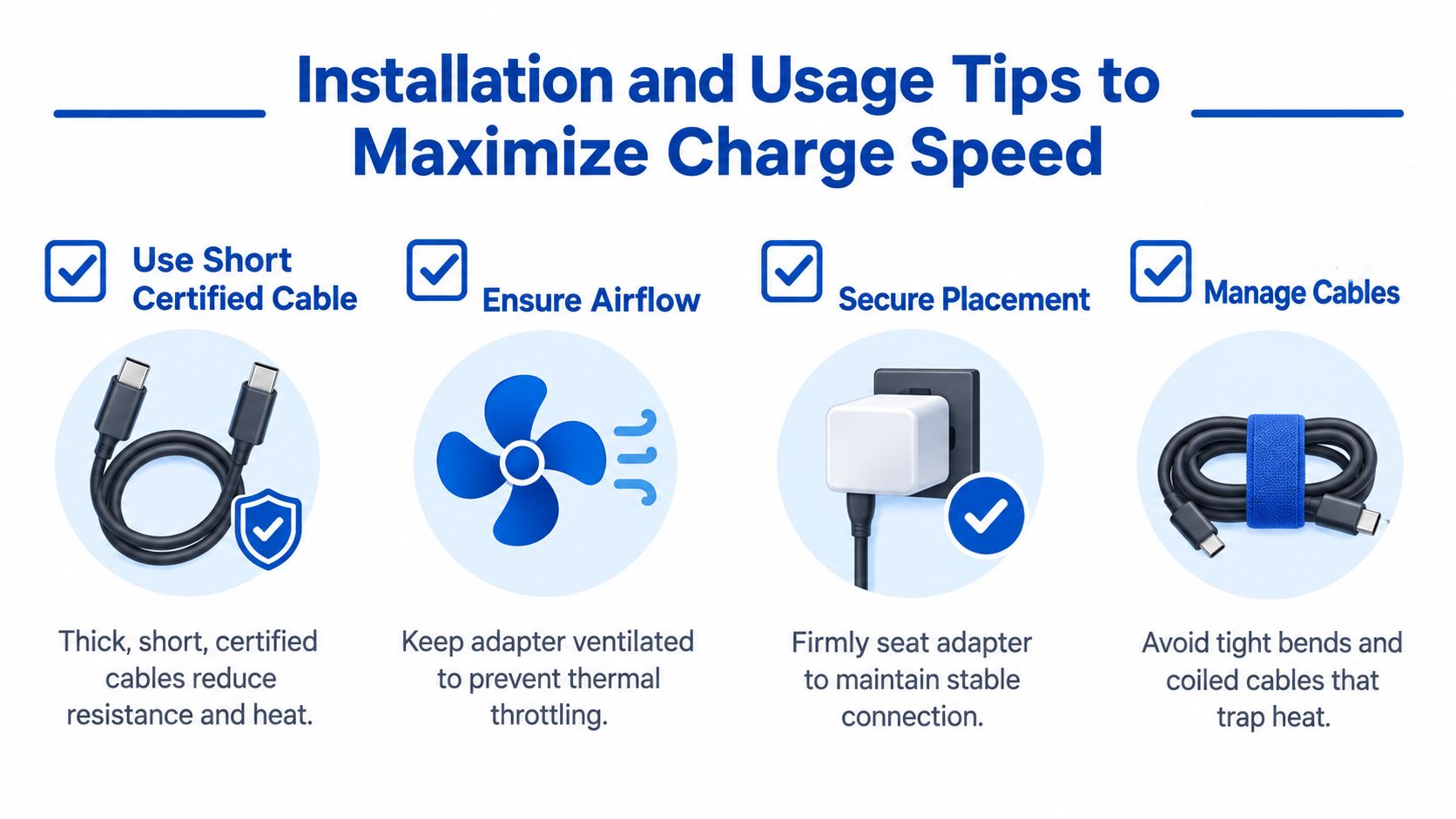
The adapter should sit firmly in the socket. If it wiggles, power can become inconsistent, especially on rough roads. Some cars have looser power sockets than others, so a charger that feels solid in one vehicle can feel unreliable in another.
Cable length matters too. Shorter is usually better in the car because there's less slack, less heat trapped in coils, and less chance of voltage loss hurting charge speed.
Habits that help on real drives
Use this routine if you want the fastest practical result:
-
Start with a short certified cable
This reduces resistance and keeps the connection cleaner during negotiated charging. -
Keep the phone out of direct sun
A hot phone often slows charging to protect itself. -
Avoid heavy use while charging
Navigation is one thing. Gaming or extended video recording is another. -
Don't stack charging methods
Wired plus wireless accessories at the same time can add heat without helping. -
Give the charger airflow
Don't bury the adapter under trim, receipts, or console clutter.
A short drive rewards the cleanest setup. A long road trip rewards heat control.
Two routines that work well
For short commuter drives:
- Plug in before starting navigation
- Use the main USB-C PD port
- Skip unnecessary background tasks
- Mount the phone where air can reach it
For longer trips:
- Charge earlier, not only at crisis level
- Use a cable with gentle bends instead of tight loops
- Check that the adapter still feels firmly seated after bumps
If you're also powering accessories around the dash, wiring can get crowded fast. A product like this Rexing dash cam hardwire kit is a reminder that separating permanent accessory power from your phone-charging path can keep the main socket setup simpler and tidier.
Safety Heat and Troubleshooting Slow Charging
A lot of people assume slow charging means “not enough wattage.” Sometimes that's true. Often it isn't.
The hidden problem is often heat
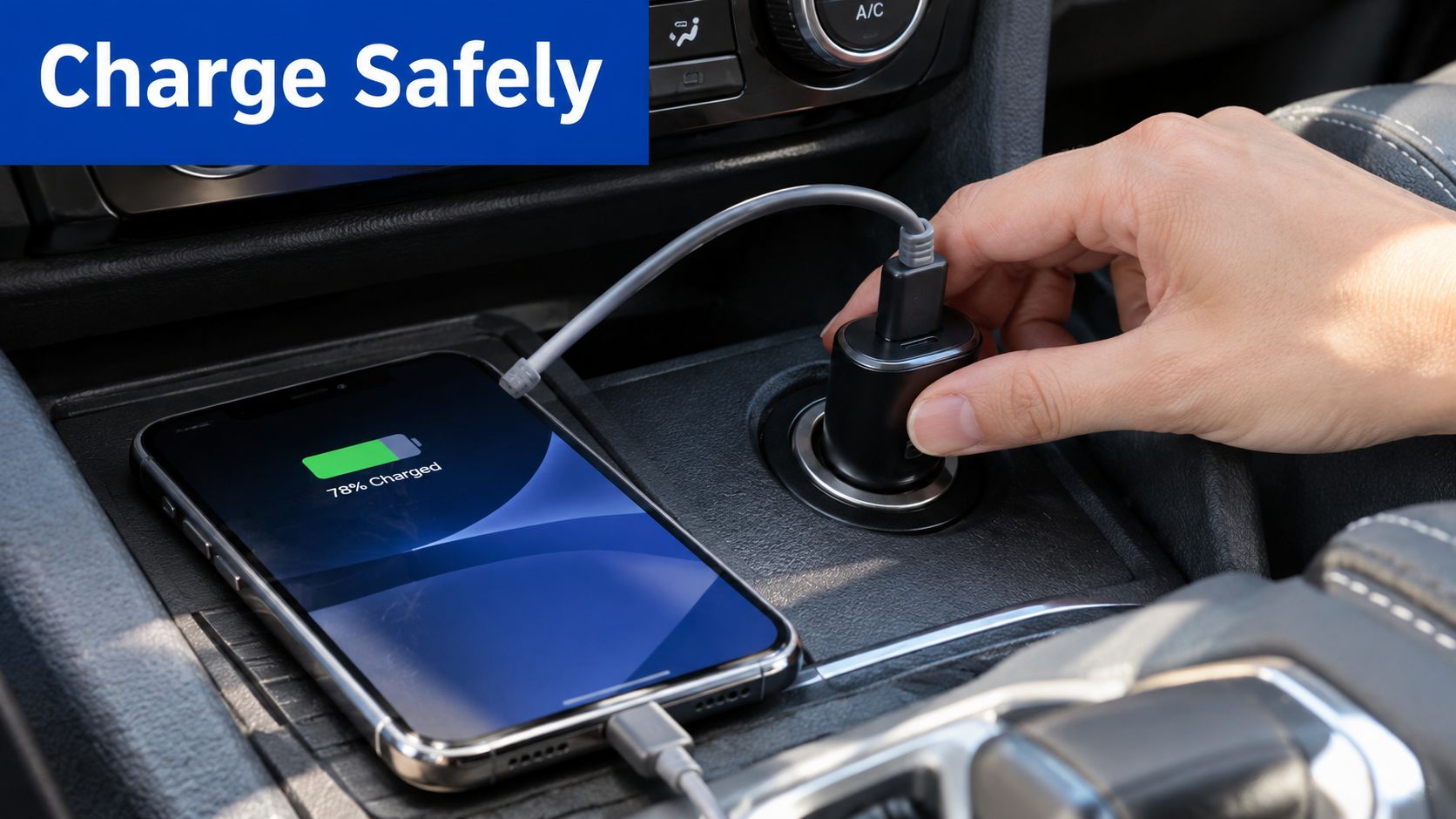
Recent charger coverage repeatedly warns that uncertified chargers can overheat, deliver inconsistent wattage, or damage batteries, and that 45W+ setups may require a 5A-rated USB-C cable according to this recent roundup on USB-C car charger safety and cable quality.
That warning lines up with what we see in cars. Cabin heat is already high. Add a loaded charger, a warm phone, and a low-quality cable, and the system may throttle long before it reaches its advertised maximum.
A short troubleshooting flow that works
If your quick phone charger for car use still feels slow, check these in order:
-
Port cleanliness
Dust in the phone port or the adapter port can weaken contact. -
Cable quality
Swap cables first before blaming the adapter. -
Charging mode
Make sure the phone shows fast charging or equivalent wording. -
Background drain
Navigation, hotspot use, and a bright screen can eat much of the incoming power. -
Battery health limits
Some phones reduce charging speed as batteries age or heat rises. -
Wireless expectations
Qi2 magnetic car chargers are capped at 15W for compatible devices according to Belkin's Qi2 magnetic car charger listing. If you want the fastest possible refill, wired still sets the pace in the car.
When a wireless mount is fine, and when it isn't
Magnetic wireless mounts are convenient for navigation. They're just not the speed-first choice. If you're comparing mount styles and want to see how magnetic charging setups fit into a dashboard workflow, this guide to compare snap-to-charge mounts is a useful companion read.
For drivers looking into smaller high-output designs, it's also worth reading up on the best GaN chargers because compact thermal behavior matters a lot in a hot console.
If the phone is hot to the touch and the charger is hot too, don't keep chasing bigger wattage. Fix the heat first.
Choosing the Right Quick Charger for Your Driving Needs
Buying gets easier once you stop chasing the biggest number and start matching the setup to the drive.
Best fit by driving style
For a daily commuter, a simple USB-C PD charger is usually enough. If your phone is the only device that matters, keep the setup clean. One solid port, one short cable, one cool mounting position.
For a family car or ride-share setup, port mix matters more than peak phone speed. A charger with multiple outputs helps, but only if you understand how output is shared. A dual USB-C design often makes more sense than older USB-A-heavy layouts. If you want a product-page example of that format, this car charger with two USB-C ports shows the kind of design many newer users now prefer.
For phone plus laptop use, look beyond the word “fast.” Check whether the charger is built for higher-output USB-C charging, whether the cable is appropriate, and whether the adapter can stay cool during sustained use.
What I'd prioritize before checkout
Use this order:
- Phone compatibility first
- USB-C PD or PD/PPS support second
- Per-port output clarity third
- Short quality cable fourth
- Physical fit in your vehicle fifth
You can also pair charging with better placement. A dashboard phone holder for car use can help keep the screen visible and away from a pile of warm cables in the console area. If you want a broader look at mobile accessories, DigiDevice's chargers and adapters collection is a practical place to compare formats.
The last check is on the phone itself. After plugging in, confirm the device reports fast charging. If it doesn't, don't guess. Work backward through the chain: phone support, port standard, then cable.
If you're sorting out a better in-car charging setup, DigiDevice carries car chargers, cables, mounts, and related mobile accessories that fit the phone-cable-port system discussed here. If your current setup feels fast on paper but slow on the road, it's worth comparing your charger type, cable choice, and mounting setup before your next drive.