

Best Mobile Phone Accessories: The 2026 Buyer's Guide
A phone can be expensive, but its daily performance often depends on inexpensive extras. The best mobile phone accessories protect the device, deliver stable power, and fit the way you work, travel, listen, create, or play. Updated for March 2026, this buyer's guide focuses on compatibility, safety, durability, and practical trade-offs rather than flashy specifications.
Why Your Phone Deserves Better Accessories
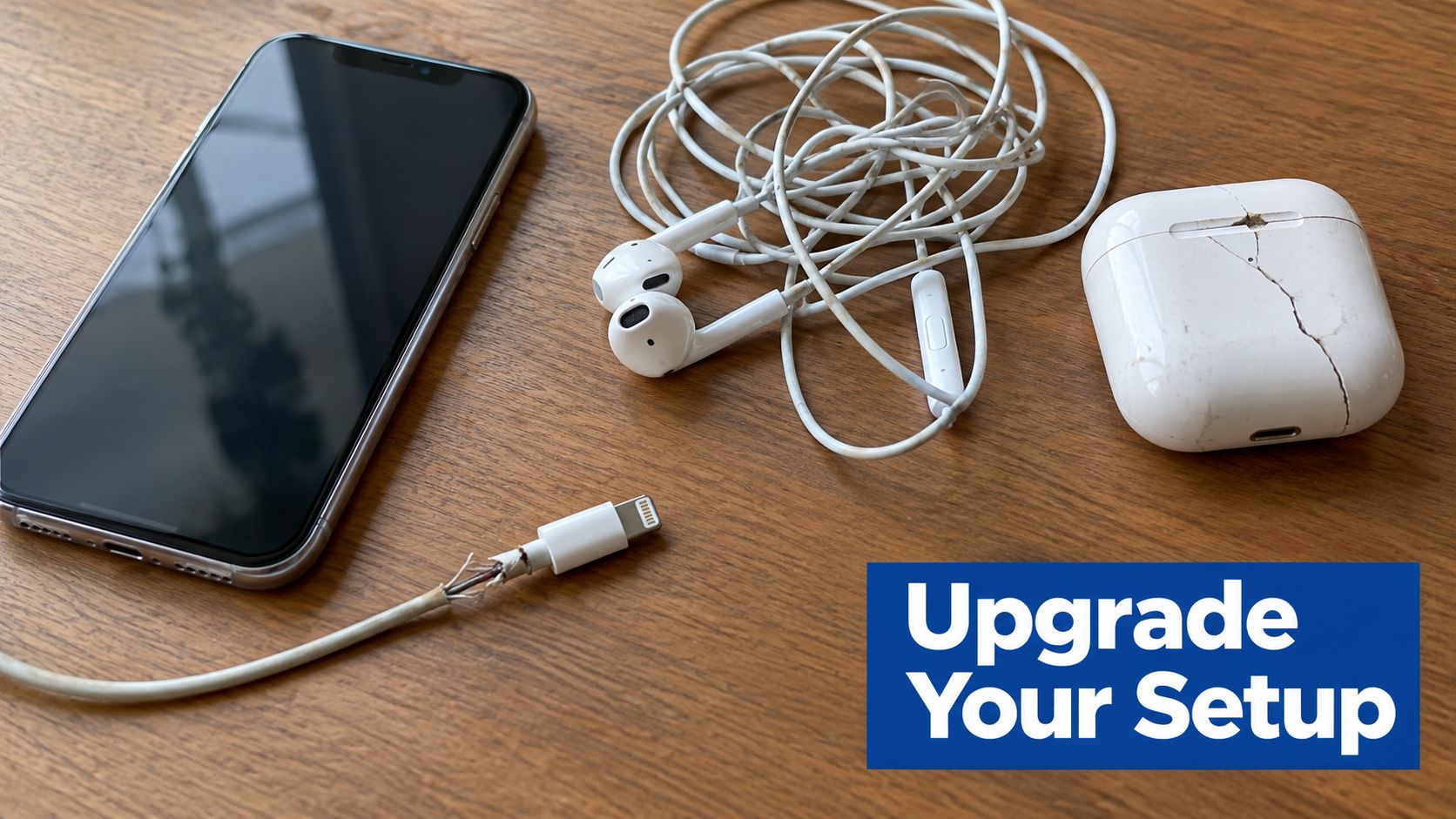
You leave a video call with a phone at low battery, a frayed cable beside your desk, and a case that has already lost its grip. Then the phone slips onto the floor. The charger still claims “fast charging,” but it becomes hot under load, while the replacement earbuds disconnect whenever you move away from your desk.
That combination is common because accessories are often chosen after the phone, with little attention to how the parts work together. A flagship handset paired with a poorly fitted case, uncertified charger, or low-quality cable can deliver a worse experience than the phone is capable of producing.
Protection deserves particular attention. A 2023 Allianz-related statistic reported by independent summaries found that accidental damage represented 62% of mobile-phone insurance claims, including drops and spills, although that figure isn't a universal measure of all phone owners or every country. (Mobile-phone insurance statistics)
Insert image of a commuter charging a phone beside a laptop and wireless earbuds.
The accessory overload problem
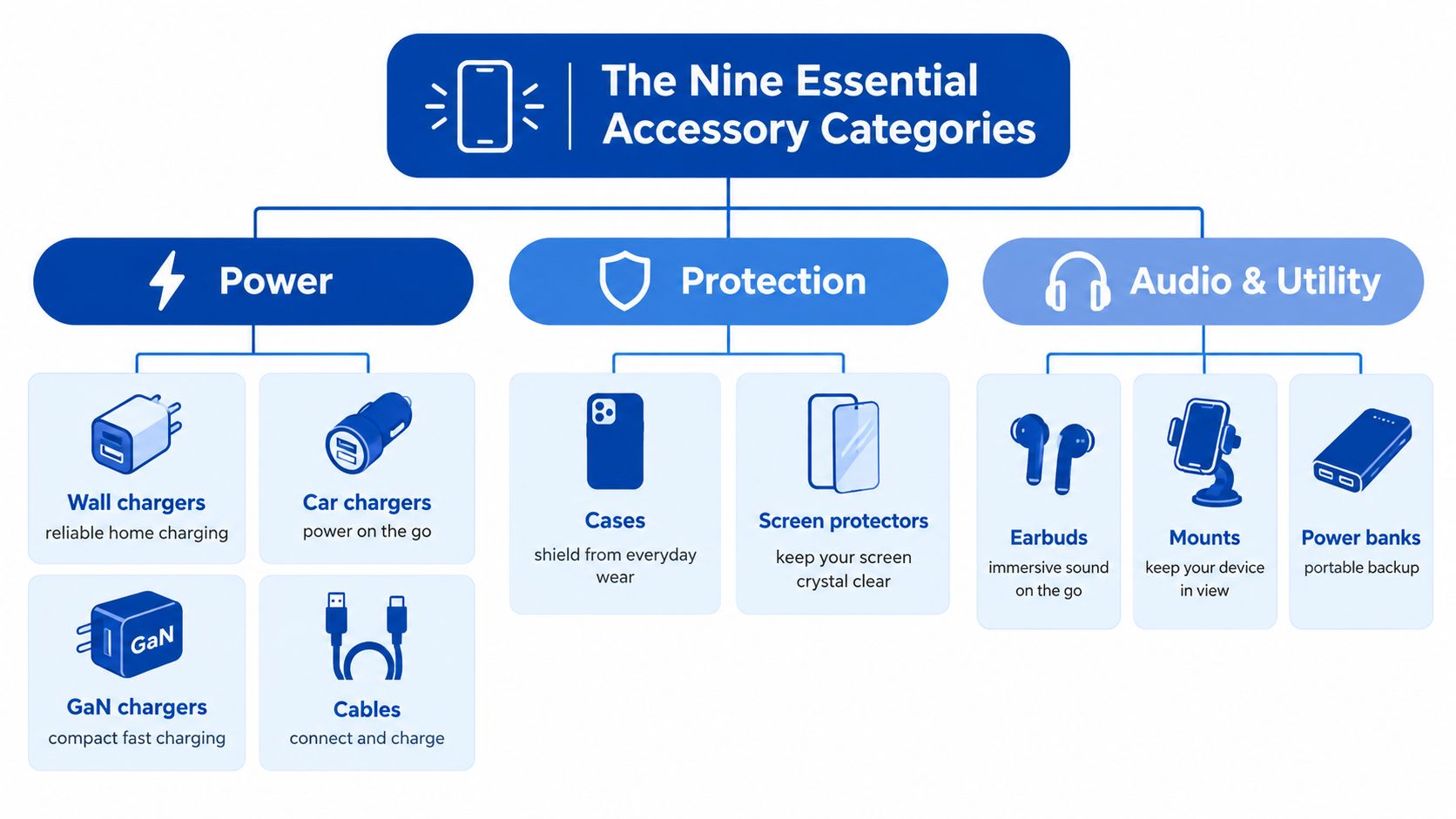
A useful setup usually starts with nine practical categories:
- Power: Wall chargers, car chargers, GaN chargers, cables, wireless pads, and power banks.
- Protection: Cases, screen protectors, camera-lens covers, and waterproof pouches.
- Audio: True wireless earbuds, over-ear headphones, Bluetooth speakers, and wired earphones.
- Mounting and ergonomics: Car mounts, desk stands, grips, and magnetic holders.
- Productivity: Docks, stylus accessories, keyboards, and compact hubs.
- Gaming: Cooling fans, triggers, controllers, and low-latency headsets.
- Content creation: Lapel microphones, ring lights, tripods, and gimbals.
- Travel: Portable projectors, multi-port adapters, organizers, and compact chargers.
- Connectivity: Signal boosters, satellite messengers, and mesh extenders.
The right selection isn't the largest collection. It's a small, interoperable system that solves recurring problems without adding heat, bulk, or unreliable connections.
Practical rule: Buy accessories around failure points first, such as drops, low battery, poor grip, uncomfortable calls, or weak connectivity.
The PAS framework works well for evaluating those problems. The problem might be a dropped 5G signal during a work call, the agitation is lost productivity and embarrassment, and the solution is a compliant connectivity product chosen for the carrier and installation environment. (PAS framework)
The Nine Essential Accessory Categories Explained
A wall charger and cable are only one part of a mobile setup. The useful question is what each accessory must do under real conditions, whether that means surviving a fall, maintaining a stable connection, or fitting into a crowded travel bag.
Power and protection
Wall and GaN chargers are the foundation for most users. GaN designs can make compact multi-port charging more practical, but the headline wattage isn't enough. Look for USB Power Delivery, PPS where your phone supports it, sustained output by port, and clear limits when several ports are used.
Cables should match the charging system. A detachable cable with suitable bend protection is easier to replace than a permanently attached lead. For higher-power charging, verify the cable's electronically marked current rating instead of assuming that every USB-C cable supports the same load.
Cases and screen protectors solve different problems. A case should fit the exact model, protect corners, provide raised display and camera edges, and preserve wireless-charging alignment. A screen protector should offer accurate coverage, responsive touch performance, and an installation system that limits dust and misalignment.
A Brunel University research project validated a simulation-driven case design for drops up to 1.8 m onto concrete, using a repeatable tester to control impact velocity, angle, and contact point. That makes corner geometry, deformation, and repeatable testing more useful indicators than an unsupported “military-grade” label. (Drop-tested phone-case research)
For a closer look at case construction and protection trade-offs, read the phone-case protection guide.
Audio and utility
Earbuds should be judged by fit, microphone quality, codec support, battery behavior, and connection stability. A low-latency mode matters to gamers, while isolation and call processing matter more to commuters and remote workers. Over-ear headphones such as Bose QuietComfort Ultra models prioritize comfort and noise reduction, but they take more space than true wireless earbuds.
Utility accessories include magnetic mounts, stands, grips, wireless charging pads, and power banks. A stand that holds a phone at eye level can improve video-call posture, while a dashboard mount must remain stable without blocking controls or visibility.
Connectivity products need more caution. A United States consumer signal booster must be approved by the wireless provider and registered with details including the operator, make, model, serial number, location, and first-use date. The FCC consumer-booster requirements also call for Consumer Use labeling and approved antennas, cables, and coupling devices.
Insert image of a phone mounted in a car beside a compact USB-C charger and earbuds.
How to Match Accessories to Your Phone Model and Daily Use
Start with the phone model, not the accessory brand. An iPhone, Google Pixel, or Samsung Galaxy may use USB-C, but case dimensions, camera cutouts, magnetic alignment, wireless-charging behavior, and button placement still vary between models.
Read the exact model name and generation from the phone's settings or packaging. Avoid listings that say only “fits most phones.” A case that shifts around the frame can expose corners during a drop, and a magnetic mount can sit off-center if the ring or alignment system doesn't match the phone.
Use three compatibility filters
- Model fit: Check dimensions, camera opening, port access, button covers, and wireless-charging alignment.
- Usage pattern: A commuter may need a compact charger and secure car mount. A creator may prioritize a microphone, tripod, and reliable power bank. A competitive gamer needs low latency, grip, thermal control, and an unobstructed charging port.
- Ecosystem: Confirm whether the phone, charger, cable, earbuds, watch, and laptop share USB-C, PPS, magnetic, Bluetooth, or proprietary requirements.
The European Union's common-charger policy established USB-C for a broad range of portable electronics, including phones, tablets, cameras, headphones, earbuds, speakers, keyboards, mice, and handheld game consoles. Requirements for those categories took effect on December 28, 2024, while laptops are covered from April 28, 2026. The European Commission estimates that the measures can save consumers at least €250 million annually by reducing unnecessary charger purchases. (European Commission common-charger policy)
| User Type | Priority Category | Key Specs to Verify | Budget Range |
|---|---|---|---|
| Outdoor-heavy user | Protection | Corner structure, raised edges, grip, exact model fit | Under $50 to $150 |
| Frequent traveler | Power | USB-PD profile, cable rating, port sharing, compact design | Under $50 to $150 |
| Remote professional | Connectivity and audio | Carrier compatibility, registration requirements, microphone quality | $50 and above |
| Content creator | Audio and mounting | Microphone connection, tripod thread, stabilization, battery use | $50 and above |
| Competitive gamer | Gaming and cooling | Latency, controller layout, thermal airflow, ergonomic grip | $50 and above |
For cabins and shared travel spaces, it's sensible to review guidance on safe chargers for cruise cabins before packing a high-power setup. For compact multi-device charging, compare the practical differences in GaN phone chargers.
Safety, Authenticity, and Why Cheap Accessories Cost More
The cheapest charger isn't a bargain if you can't establish who made it, what protections it contains, or whether its markings are legitimate. A UK government product-safety report identified a counterfeit Samsung USB-C mains charger as a high electric-shock risk because its insulation and electrical clearances were inadequate. (UK counterfeit Samsung charger safety report)
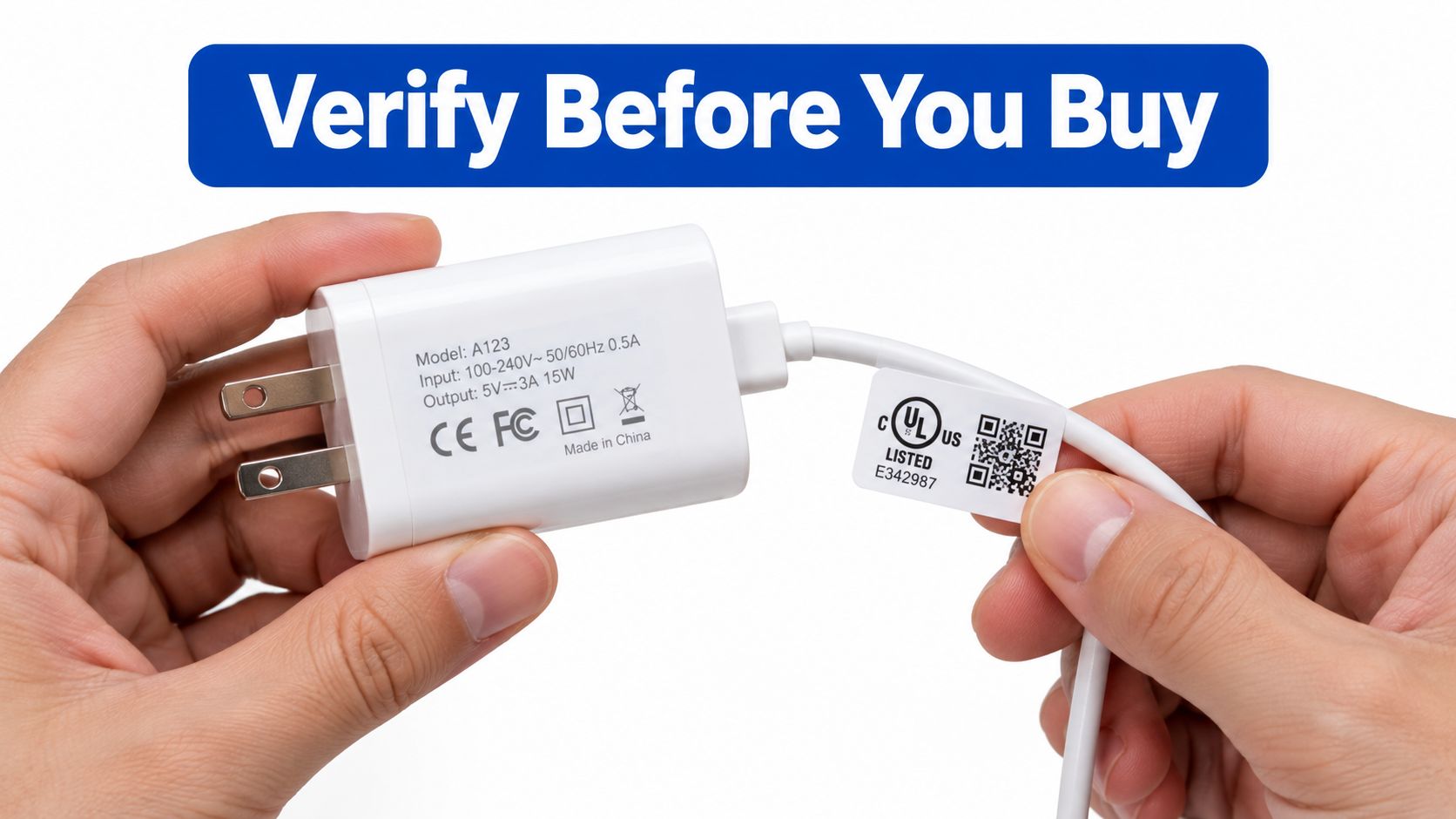
Online listings can copy logos, product photographs, and safety language. A convincing product page doesn't prove that the item came from the stated manufacturer or passed independent testing.
A listing verification checklist
- Manufacturer identity: Look for a legal manufacturer or importer, not only a vague storefront name.
- Electrical markings: Check input and output information, model numbers, plug details, and the stated standards.
- Power-delivery information: Confirm USB-PD and PPS profiles rather than relying on “super fast” wording.
- Cable capability: For higher-power charging, verify the electronically marked current rating.
- Warranty and returns: A real warranty and usable return process provide more accountability than an unexplained discount.
- Independent certification: Treat UL, FCC, or other marks as useful only when they can be connected to the actual product and market.
A label alone doesn't guarantee that a charger will deliver the advertised performance. The product should identify its output by port, explain simultaneous-use limits, and disclose thermal protections.
This video provides useful visual context for charger construction and verification:
Wireless charging also needs realistic expectations. Alignment, case thickness, heat, and the phone's supported charging mode affect results, so review how wireless charging works before paying extra for a magnetic pad.
Budget Tiers and What You Should Actually Expect
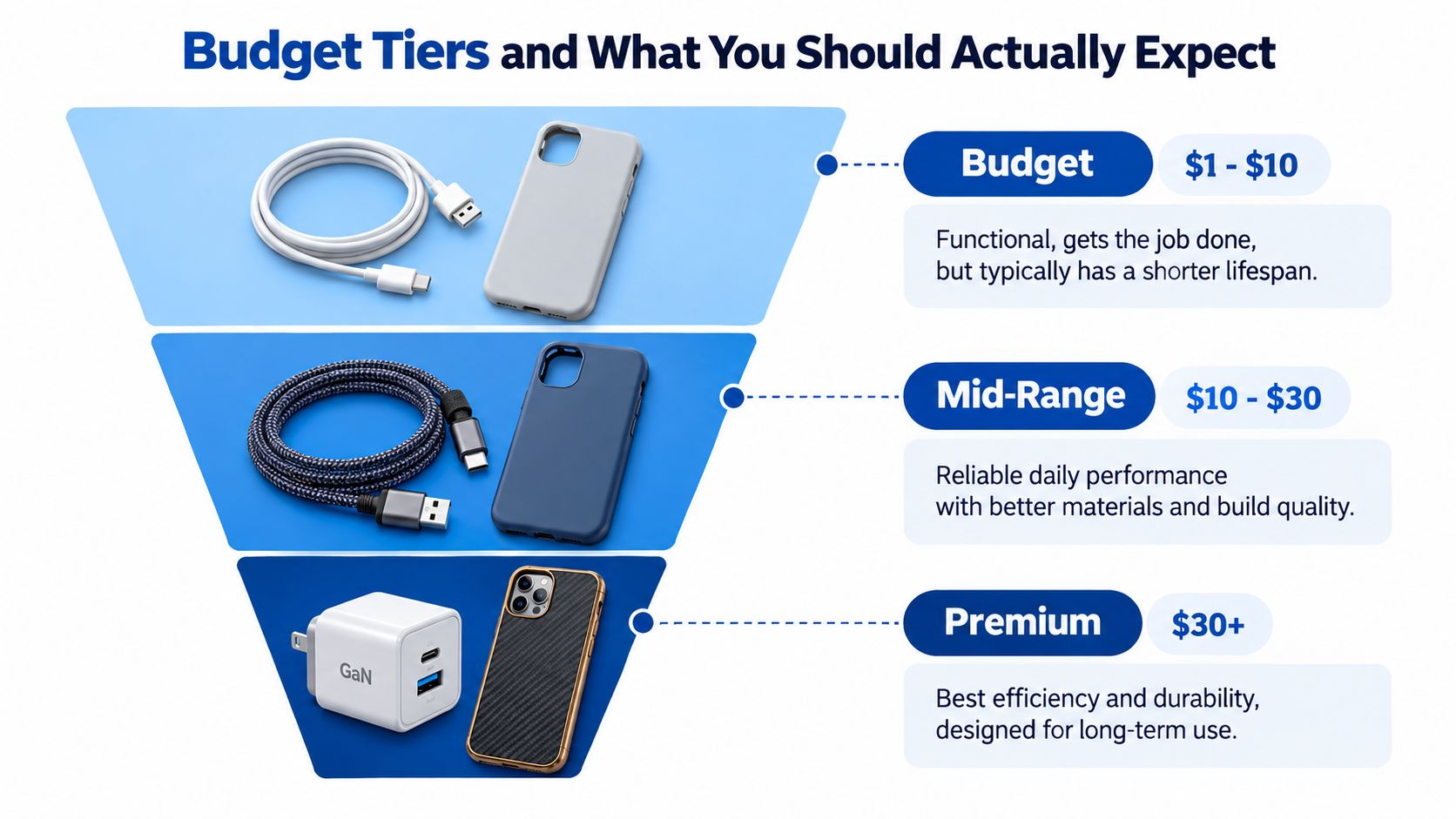
Price helps set expectations, but it doesn't replace verification. A low-cost case can be perfectly adequate, while an expensive charger can still be a poor choice if the seller hides sustained output or the cable isn't rated for the advertised mode.
Under $50
This tier can cover a reliable basic charger, a standard silicone or TPU case, a screen protector, a conventional cable, or entry-level wired earbuds.
The sensible compromise is finish and convenience. You may get fewer ports, simpler materials, or less refined audio, but those trade-offs are acceptable when the charger identifies its standards and the case fits precisely.
Avoid cables with no manufacturer information, cases that obstruct cameras, and chargers that list only a dramatic maximum wattage.
$50 to $150
This range opens the door to multi-port GaN chargers, reinforced cases with better impact structures, capable wireless charging systems, and true wireless earbuds with active noise cancellation.
The most meaningful improvements are usually consistency and integration. A better case may combine a rigid back with compressible TPU corners. Better earbuds may provide more stable calls and configurable controls rather than merely louder sound.
For charging comparisons, use this Android fast-charger guide as a starting point, then confirm the exact phone profile.
$150 and above
Premium over-ear headphones, AR smart glasses, creator kits, and higher-capacity power stations sit in this category. They make sense when comfort, optics, microphones, materials, or sustained power directly affect your work.
They don't make sense when you're paying for a name without a measurable improvement in fit, stability, controls, or compatibility. A designer case won't compensate for poor corner coverage, and a high-wattage charger won't make a phone accept more power than its own charging system supports.
Spend more where failure interrupts your day. Save where the accessory performs a simple, well-defined job.
Setup Routines and Maintenance Habits for Long-Lasting Gear
A good accessory can fail early if it lives in a hot car, gets bent at the connector, or remains clogged with dust. A simple setup routine protects both the accessory and the phone.
Set up power as a system
Match the charger's USB Power Delivery profile to the phone's supported input power. When higher-power charging is required, use a cable with the appropriate electronically marked current rating.
USB Power Delivery compliance testing evaluates transient voltage overshoot, programmable-power-supply operating tolerances, thermal shutdown behavior, and whether the source respects its advertised power-delivery capability. A high nominal wattage doesn't guarantee stable or safe charging. Excess voltage transients can stress charging circuitry, while thermal shutdown shows that a charger can't sustain its rated output under test conditions. (USB Power Delivery compliance testing)
A compact GaN charger is useful for travel and multiple devices, but shared ports can change the available output. Check the sustained power listed for each port, not just the maximum combined headline.
Use a monthly inspection routine
- Ports: Remove lint carefully and stop if debris is packed tightly inside.
- Cables: Replace leads with split insulation, loose connectors, or visible heat damage.
- Cases: Check whether the corners have flattened, the grip has become slippery, or the case traps unusual heat.
- Wireless pads: Recheck alignment when a phone becomes warm or charges intermittently.
- Power banks: Store them in a dry location and inspect for swelling, cracks, or abnormal heat.
Clean screens with a soft microfiber cloth rather than abrasive materials or excess liquid. Keep power banks away from prolonged heat and use a compact organizer so cables aren't sharply folded in a travel bag.
For travel planning, compare capacity, ports, and carry requirements in the power-bank guide for travel.
Frequently Asked Questions About Mobile Accessories
How long should a phone accessory last?
There isn't one universal lifespan. A case lasts longer when its corners remain firm, its edges maintain grip, and its materials haven't become brittle or loose. Cables usually fail at the connector or bend point, so strain relief and storage matter more than braided styling alone.
Power banks need closer inspection. Capacity can decline with use and storage conditions, while swelling, cracking, or unusual heat are reasons to stop using the unit immediately. Replace accessories when they show physical damage or unstable behavior, not only when they stop working completely.
What do FCC, UL, and CE labels actually mean?
These labels aren't interchangeable. FCC requirements in the United States relate to electromagnetic emissions and, for consumer signal boosters, network-protection and carrier-authorization rules. They don't automatically prove that a wall charger is safe for every electrical hazard.
UL listing is associated with testing and certification by Underwriters Laboratories for applicable safety requirements. CE marking indicates conformity with relevant European Union requirements, but it isn't the same as a universal quality ranking. A brand warranty adds accountability, yet it doesn't replace checking the product's electrical markings, seller identity, and compatibility.
For signal boosters, compliance is especially important because the equipment operates under the authorization of the serving wireless licensee and must shut down if it causes harmful interference. The FCC's network-protection explanation clarifies why approval and correct installation matter.
Will a multi-port GaN charger slow down my devices?
It can. The charger negotiates power with each connected device, and the available output may be redistributed when you connect a phone, earbuds, watch, tablet, or laptop at the same time.
A 100 W charger doesn't force a phone to accept 100 W. The phone, charger, and cable must support the same charging mode, and the phone determines how much power it requests. For a practical setup, check the charger's port-by-port output, USB-PD and PPS support, cable rating, thermal behavior, and simultaneous-use limits.
The most dependable setup is usually a compact interoperable system: one standards-compliant charger, durable detachable cables, a fitted case, and only the extras that solve a recurring problem.
DigiDevice offers a curated selection of phone cases, chargers, adapters, cables, power banks, wireless charging products, audio gear, and connectivity tools. Review the DigiDevice range, verify each item against your phone model and charging profile, and choose the accessory that improves your daily setup without adding avoidable risk.